How To Create A Virtual Country

Between October and December last year, our Year Six students created their own virtual country. Their final work was published to iBooks using the awesome Bookcreator App. It was a cross-curricular project that encouraged a variety of writing styles, collaboration and use of a whole host of digital resources. The project was a huge success and I would like to share our learning journey with you.

  • Step 1: Country Brainstorm. We used wallwisher and iPads for a whole class brainstorm on the Smartboard, to ascertain what a country needs to function
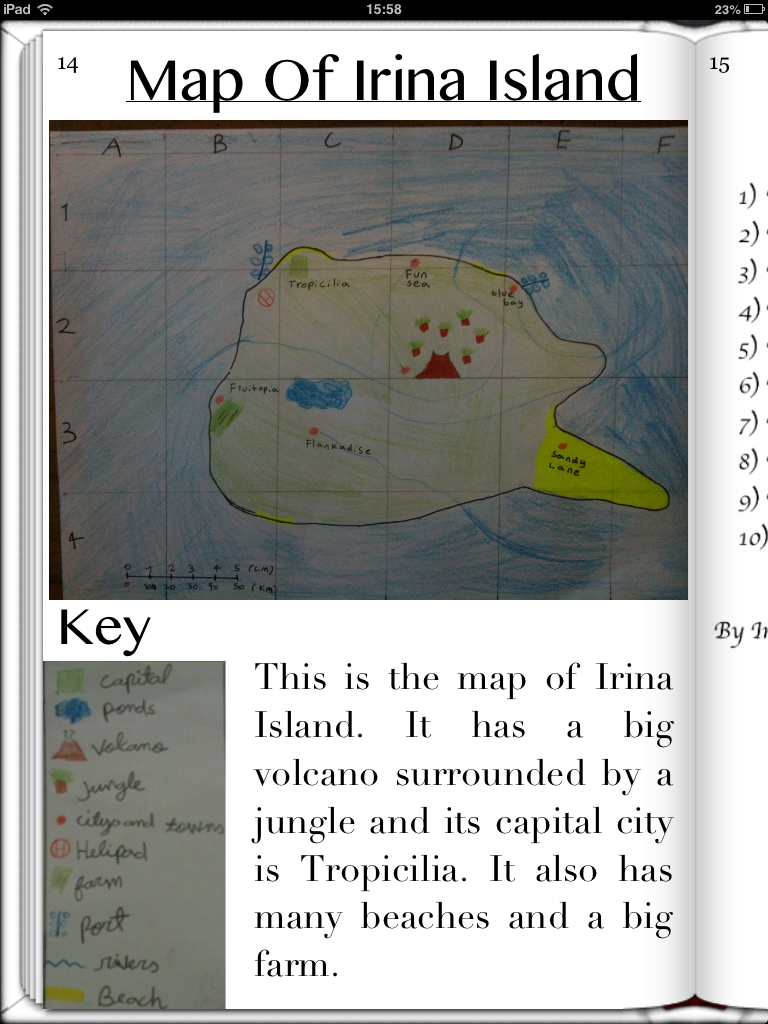
  • Step 2: Name The Country. They then studied Atlases and their features before they actually designed their country; and decided upon its location. This involved a substantial amount from the maths curriculum including co-ordinates and scale.
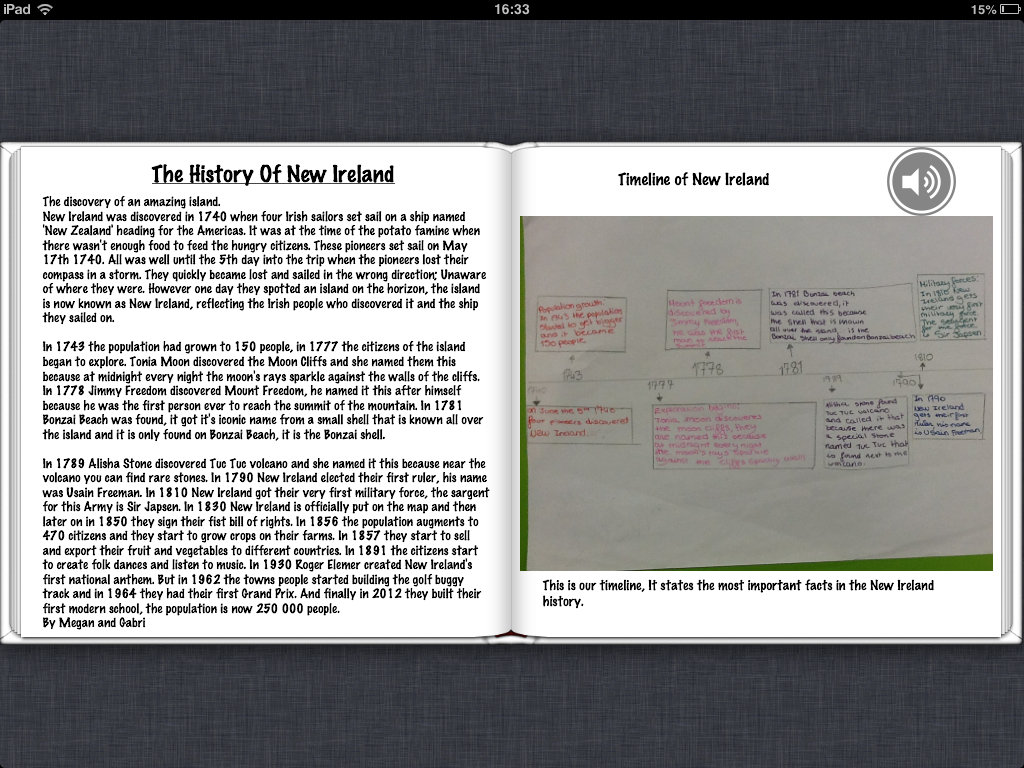
  • Step 3: Create a History. Students read, annotated and checked the features of chronological report writing using this checklist: checklist_chronological. Then they used Time-Toast to plan their histories, and finally wrote their first draft in their English books. We then re-distributed their English books and the chlidren then used the checklists again to provide peer-to-peer feedback. The work was then edited and published on the school blog. This enabled more feedback to be provided so their work could be improved further.
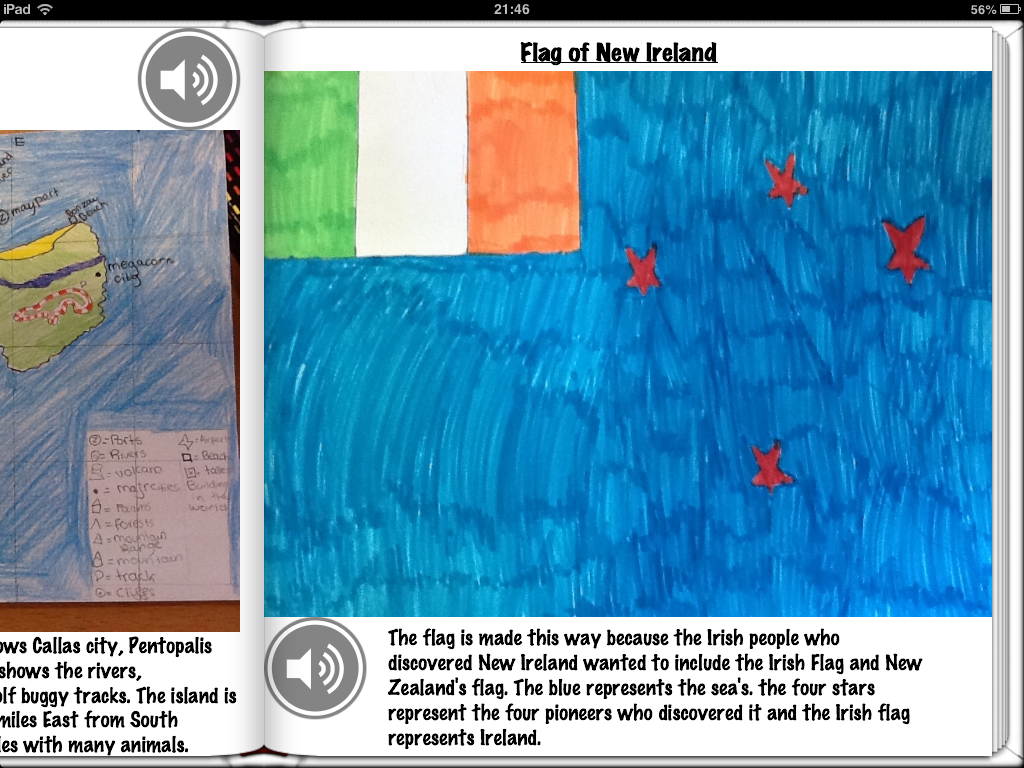
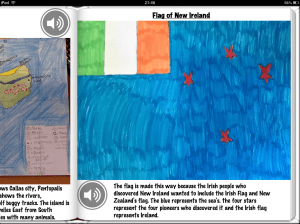
  • Step 4: Design a flag and invent its history. The students then analysed flags and their properties such as colour and symmetry. We also looked at the history of some well known flags and the origins of their respective designs.
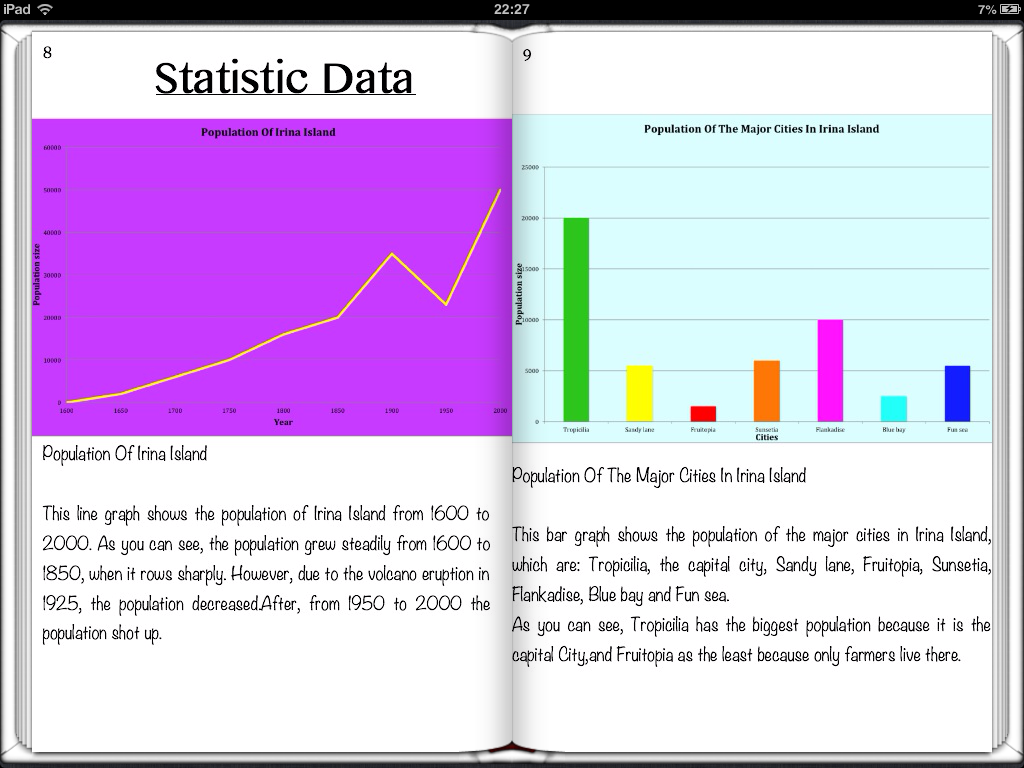
  • Step 5: Graphical Analysis. All Year Six data handling can be included in this part of the project. We analysed different graph types and the difference between static and continuous data. The children then compiled realistic data on their countries before deciding which graph type to use to portray the data.
  • Step 6: Newspaper Front Page. Next we analysed the features of journalistic writing. We looked at the difference between broadsheets and tabloids, and all then examined real newspaper front pages and made notes of their features. Children then used a newspaper_planning_sheet to plan their stories, and again followed the process of drafting and peer checking in their books, followed by blogging and further peer feedback. Some of their comments are a masterclass of constructive and useful blogging feedback.
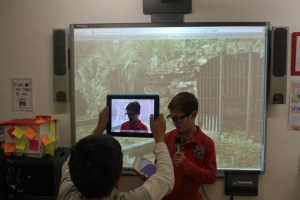
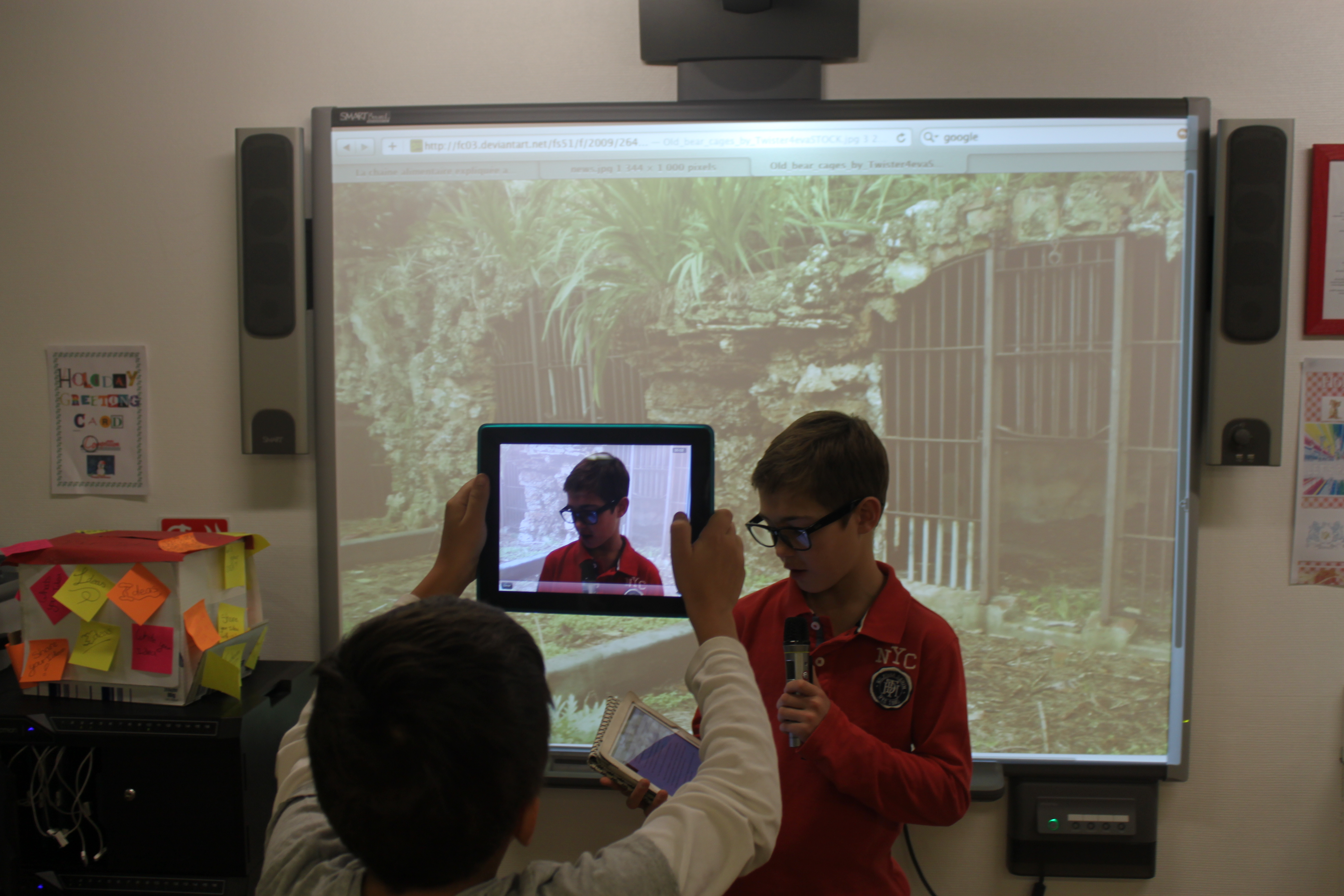
  • Step 7: News Broadcasts. The front page news stories were then re-written as scripts for a news broadcast. The children used their iPads and Smartboards to make the filming as realistic as possible.
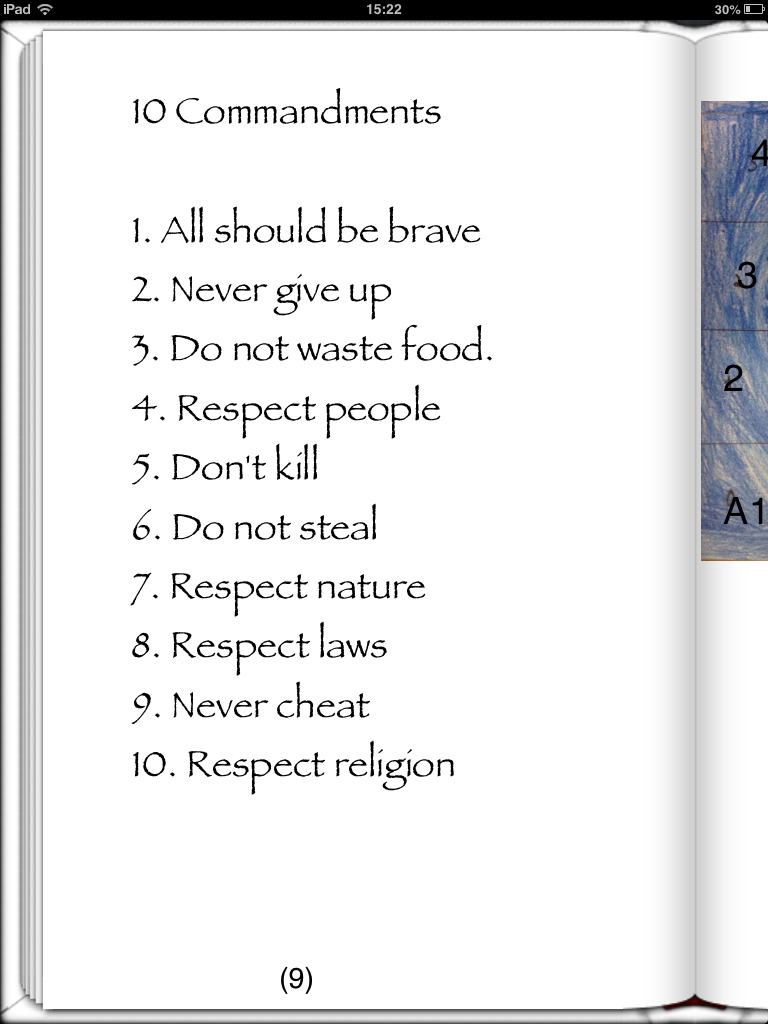
  • Step 8: Establish the Rules. For this part we looked at child friendly versions of the the 10 commandments and the Bill of Rights. The children then set about constructing a bill of rights for their Virtual Countries.
  • Step 9: Advertising. We also managed to integrate persuasive writing into our Virtual Guides. Each partnership had to think of a product or service that their Virtual Country produced and then plan, design and produce an advert. Beforehand we went through features of adverts and persuasive writing.
  • Step 10: National Anthem. The children are fortunate to have separate music lessons at ISM, so I spoke with their music teacher and asked whether they could write lyrics and music for a national anthems for their Virtual Countries! Their final anthems were awesome! However, because they were recorded directly to their books using the book creator built in recording feature, I haven’t worked out a way of embedding them on a blog!
  • Step 11: Publication. Once all the above were done, the students has a few optional extras to add as well such as postcards & currencies. All their work was then either copied and pasted into Book Creator from our blog or written from their English books. The graphs and adverts were inserted by taking screen shots on the iPad and uploading from the camera roll. Other work like the flags and maps that were actually done by hand were simply added by taking photos and then adjusted and cropped accordingly. The children then spent considerable time formatting and designing their final publications before sending them to iBooks.
  • Step 12: Reflection. Finally, the children reflected on their work using these self evaluation proformas.
Overall, I was incredibly pleased with the projects. The children got so involved with their work that their Virtual Country guides were of the highest quality. If anyone has any ideas about anything else that could be added, I’d love to hear from you.

Encouraging Boys to Write – Football Blog

In Year Six I have just re-started the Year Six football blog in an attempt to encourage and improve writing, particularly from boys. Recent press reports have indicated that an unhealthy proportion of boys writing is well below the national standard in the UK, in fact according to the Daily Telegraph, they are around twice as likely as girls to fail in basic writing assessments.

It is well documented that this has nothing whatsoever to do with ability, moreover it is a motivation issue. I came across this fantastic article on The Globe and Mail, by Margaret Wente which suggested one possible solution was to ‘celebrate boys’ boyness’.

In a nutshell, this article summarises these main points:

  1.  Boys need to have a good relationship with the teacher.
  2.  Boys will only stay engaged as long as the work interests them.
  3.  Boys need purpose, to make a difference, to know they measure up.
  4.  Boys need challenge, above all, a need for a meaningful vocation.
  5.  Boys need purposeful work.
  6.  Boys long for to be a part of something bigger than themselves.
  7.  Boys love rituals, trophies and tradition.

So, taking this into account whilst also considering the fantastic work being done in the UK right now by @DeputyMitchell, who has used blogging to incredible effect to enhance boys writing levels, I thought I would relaunch our class football blog.

The current Year Six, like many other boys around the world, are football mad! So I thought I would attempt to harness this passion by encouraging them to write a weekly report on a game of their choice. Furthermore, each week the best report will win a coveted Football Bloggers Award in assembly!

I now have a team of nine budding football journalists who are actually asking if they can write on 2,3 or 4 games a week! The possibility of tweeting their articles direct to players or even simply using their teams hashtag in a tweet about their post has added even more incentive to their writing. In addition, I have used the same blog to model writing by jotting down my musings on being a home-sick Charlton Athletic fan; I contacted a few other CAFC sites (Dr Kish & Forever Charlton) who now include our posts as part of their blog news-feed! When the boys see their posts pop up elsewhere on the web, their excitement reaches fever pitch!

So far the experiment has been very successful, and I would love to set up links with other football mad school bloggers from around the world who could share their passion for football through writing. If anyone else would be interested in getting involved, please get in touch.

Choose Your Own Adventure Films – A Quick Guide

As we come to the end of our first term, I thought I would share with you one of the projects Year Six completed under the umbrella of our Learning Unit, ‘Decisions, Decisions’.

This is the fifth year that I have taught this topic and I felt it needed a shake up, especially when considering the wonderful new technology at our disposal. Previously, we had produced our own interactive choose-your-own-adventure (COYA) style stories. These were originally produced on powerpoint (remember that?) and we hyperlinked each decision to their respective slide and then they were saved on the school server, never to be seen again. Last year, we used Keynote, saved to PDF, published to Flipsnack and coded to our school blog.

This time however, we tried something completely different, CYOA films!

On Youtube over the summer, I had come across a film that had an annotation on it that linked to another film.  This got me thinking; we could use this feature to produce short films that ended in a dilemma in which there were two possible outcomes; or in other words a good decision and a bad decision. The viewer could then click on the annotation to see the respective consequences.

Before any hint of film-making took place, as a class we discussed decisions that children and young adults may face and considered what the consequences may be. The children then split into groups of fours and chose specific topics in which they would become experts and used the ‘Big Six‘ research method to investigate the dangers of topics such as smoking, healthy eating, alcohol, gambling and cyberbullying.

Once the children had ascertained sufficient knowledge and understanding of these topics, we discussed and learned the features of play-scripts and how to write them. They then set about creating play-scripts with three scenes:

  • Scene One – An introduction to the dilemma that ends with two possible choices. These choices were then added to the screen using YouTube’s annotate function and linked to two separate films (Scene Two or Scene Three)
  • Scene Two – This featured the consequences of making a good choice
  • Scene Three – This featured the consequences of making a bad choice
We then filmed all the respective scenes in and around ISM, and then took our films back to the classroom for editing and each group chose their music, subtitles, sound effects and film edits for their final movies.

Once the final edits were completed, I uploaded the films to my school YouTube account and ensured the privacy settings were set to private. I then added the annotations and the respective links to the films, including a link at the end of Scenes 2/3 that returned the viewer back to the beginning of scene 1. Although the students were more than capable of doing this, it was a simple way of eliminating any AUP issues. Similarly we ensured no real names were used at any point in the film.

Here are a couple of the final feature films – make your decisions wisely!

Once the films were all completed, we hosted a film premiere afternoon in our Learning Hub to which all parents/guardians were invited. We The afternoon was a great success. The class made flyers and brought in popcorn to add an extra sense of reality to the whole occasion.

CYOA Film Premiere Leaflet

Preparing the Digital Classroom For The New School Year

Next week, my new year six class will be arriving back at school, and one of my first jobs will be to prepare them for what will be an exciting, year-long learning journey that tests the boundaries of using (purposeful) technology in education. However, if those confines are going to be stretched efficiently, then a small amount of preperation  and organisation needs to take place beforehand – here is a short guide on what I plan to do:

  • To start with, I will conduct a frank discussion about social networking, cyber bullying, pros and cons of using tech in the classroom and talk about Acceptable Use. Following this discussion, I will ask all students, there and then sign the schools AUP; making it clear that effective use of the wonderful tools we have at our disposal also demand a serious amount of mutual respect and trust.
  • Organise my classes on Edmodo. This simply involves archiving last years classes and creating new groups that my new classes and relevant staff join with the relevant code.
  • Survey the devices that pupils have and are able to bring to school (in my classroom, personal iPads would be the most useful device, further up the school in secondary, laptops may be more appropriate).
  • Establish and record an email address for all students (last year, I noted students personal emails – this year, we have established school email addresses for everyone – which should make life easier.
  • Establish a shared folder on Dropbox/Skydrive and invite students to join. This proved to be a revolutionary move last year. We hardly used the school server at all and work no longer mysteriously disappeared. Students learnt to organise their files properly and could easily access work on any device, at home or at school. This year I will also ask students to download CloudOn. This enables editing Dropbox documents in Microsoft Word, Excel and Powerpoint.
  • Ensure that our class blog is ready to go (all users subscribed with correct user-rights, design, widgets etc)
  • Organise a class twitter account! This is something I have not done before and would appreciate some advice – I know there are a few Primary Classes throughout the world that are doing this and I will be contacting them to see what they are doing!

I will try and complete all these tasks as a matter of priority over the first couple of days of term. As simple as it is to write the tasks down, actually getting 32 Year Six pupils to accept invites, remember log in details etc, can make things a little more complicated. What makes it all worth while though is remembering how last years Year Six left primary school as tech savvy, proactive, independent learners with a whole host of tech tools up their sleeve through which they could portray their endless creativity.

Twitter in Education: how do you use it?

On Wednesday, ISM are running a morning of CPD for all our staff in a selection of web-tools and apps that many of our teachers have successfully used over the last few years, both within and outside the confines of our classrooms. There will be seven different display areas with teachers milling between them at their leisure getting a demonstration of the potential of ICT in education and become aware, not only that these great tools exist, but of the variety of imaginative and creative ways they are already being used.

The selection of webtools are:

  • WordPress
  • Twitter
  • Show Me
  • Popplet
  • Story Bird
  • Glogster
  • Photopeach
  • Audioboo
  • Voicethread

I will be attempting to explain the huge potential twitter has for teachers, for students and for education as a whole- this is where I need some help, could you spare 2 minutes to quickly explain how you have used twitter and it has impacted upon your pedagogy. I will use your responses as part of my demo! Huge thanks in advance…

Why Bother with Blogging?

I have not posted on the ICT Development Blog for over a month, the primary reason being that the blog had been temporarily shut down for ‘review’. During this time I realised just how much I was using the blogging platform for teaching and learning and without it, how the classroom instantly became a more stagnant and mundane place. Paradoxically, I also found that I had more time on my hands as I was no longer moderating posts/comments, uploading pictures, video’s, podcasts, prezi’s, glogsters or popplets!

So this got me thinking; why am I investing so much time in school blogging and why was there such an obvious vacuum in my classroom when the blogs were unavailable? The answer that immediately sprang to mine was simply the versatility of blogging; how with a little creativity you can give purpose, motivation and feedback to all kinds of different work and projects. The fact that the children’s pieces of work had a relevance above and beyond a helpful comment in a book (and maybe a house point here and there) is hugely significant too. No longer is work marked, forgotten and left in a cupboard somewhere slowly gathering dust. Rather, their work can be accessed, revised, updated and indeed port-folioed throughout their school careers! Who knows, the Universities of tomorrow may actually value evidence of creativity rather than a bland set of exam results…

I thought I would also share with you some of the tools we are using in our classrooms and how we have used them in correlation with our blog. There are so many wonderful ICT tools available that can be easily adapted and then published on the blog to share with the world. Please take a look and leave a comment, after all Blogs are all about audience and the comments make it all (even more) worth while:

Audioboo – A simple podcasting App on the Ipad that sends the recording straight to the cloud-based hosting site. The HTML can then be easily copied to the blog. We have recently used them in Year Six to record biographies and reflections on the research process – They Made a Difference

Flipsnack – A great free web 2.0 tool that is used for converting PDF’s to stunning digital books, again the HTML can then be copied onto the blog. We used them in Year Six to publish our ‘Virtual Country Guides’ in conjunction with Audioboo to record their reflections – Virtual Countries

Glogster – Another great web 2.0 tool that is free for individual use, or you can subscribe to for multiple users relatively cheaply. You can use Glogster to make fantastic, interactive posters complete with video and audio. We have been using them in Year Three to make posters their native countries – Link to Come

Prezi – The awesome tool that is Prezi has been widely used throughout our Primary School. It is cloud based zooming presentation tool that is simple, and highly effective. We have used it in Year Six for presenting our scientific work on habitats, in Year Five to present work on Pollution and in Year Three to present about communities! – Science Prezi’s

Popplet – An incredibly user friendly and versatile tool that can be used for brainstorming, planning, mind mapping and presenting. It also has a very handy App on the iPad. We have used this in Year Five and Year Six for presentations on pollution and ‘Animal Farm’ respectively – Y5 Pollution Popplet

Puppet Pals – This a super-simple, but highly effective iPad App. You choose your characters, and move them whilst the App records your narration. We used Puppet Pals in Year Five to record conversations on Pollution – Pollution Puppet Pals

Show Me – Another iPad App that is free, simple and can be used in any number of creative ways. You can record annotations, import pictures and record your voice all at the same time. Therefore, the children can actually produce evidence of their understanding. In Year Six we used the Khan Academy as an inspiration and have started to produce our own ‘Maths Academy’ 

Reflections on BETT 2012

Arriving at Kensington Olympia for the annual BETT Show is always a daunting experience. Thousands of people from all over the world converge together for what is the worlds biggest Ed-Tech conference and as soon as you walk into the Great Hall the sheer scale of BETT immediately hits you. As you fight your way through endless crowds and stalls, you are left wondering how on Earth you will ever find your way out again, let alone meet all the objectives of the trip.

Nevertheless, after four days of seminars, meetings, bartering and endless conversations with sales-reps, my colleague Nathalie and myself headed back towards Monaco pleased that although not every question had been answered, we had learnt a huge amount about the significance and importance of educational technologies and the positive impact they were having (or could be having) on students and their learning.

My first conclusion is paradoxically positive; I actually left BETT feeling that I had learnt LESS than during my previous two visits. Not less about the impact and significance of digital technologies in schools, but certainly fewer new ideas / concepts to bring back to the International School of Monaco. The positivity lying beneath this seemingly stark statement is simply because at ISM, we are no longer catching up with the rest of the world regarding ICT, rather we now have in place and are using many of the tools that are regarded at the forefront of innovative teaching. Apps and programmes such as WordPress, Prezi, Audioboo, Storybird, Voicethread and Story Creator were all mentioned as outstanding tools for cross curricular integrated learning in ICT and are all regularly being used at ISM in the Primary School.

However, one web-based tool that was repeatedly mentioned and referred to that has not been fully utilized at ISM is Twitter. Described by Piers Morgan in 2010 as a ‘pathetic, juvenile, pointless waste of time’, (a few still shared by many) Twitter is now regarded by some in the Education World as the greatest source of Professional Development and educational information available on the planet. I attended an interesting seminar in which a panel of experts answered questions on the future of ICT in schools. Their views generally agreed; there is no area of education that is more significant, faster moving and innovative yet misunderstood and poorly managed. The barrier between students and teachers and their knowledge and application of ICT is unacceptable and is it integral that things are done to ensure our learners are provided with the knowledge and skills to utilize the tools at their disposal to their full potential. This is all well and good, but in a time of economic crisis how can this be achieved? Well, firstly schools should be utilizing the technology that the children already have in their pockets. Rather than iPads and iPhones being barred in schools, the students should be allowed to use them in class. Clearly, guidelines and acceptable policies would need to be laid out and strictly adhered to, but this cost-effective approach could save schools thousands, give each child that personalised learning potential that is such an advantage. The second cost effective strategy that schools and teachers could embrace is Twitter.

By signing up to Twitter solely for professional purposes, a teacher is entering a brand new world of ideas, strategies and resources that previously were only available by attending full day/week courses (in which only 20 minutes were of any reward) or through hours upon hours of endless internet searching. By using or following a ‘hashtag’, a teacher can very easily pinpoint information on a specific subject. For example, receive every tweet that features #ukedchat. This is a hashtag used by teachers, educationalists or anyone connected with education and therefore gives me instant access to apps, blogs, resources, opinions, links etc. to anything related to education. Furthermore, every Thursday between 8-9pm there is a specific #ukedchat discussion that thousands of teachers contribute to; keeping you well up to date with the latest views, opinions and pedagogical stance on a whole host of different subjects. Even if one never ‘Tweets’ themselves, twitter can be of huge reward although I must admit, it is rather addictive…

Click HERE for a list of educational hashtags.

So, what next? Well, among all the stands and stalls there were some very interesting educational suppliers with many interesting products. The difficulty is working out which is the best and most appropriate for ISM. Much like with educational Apps on the iPad there is a surplus of different manufacturers all doing very similar things. However, we were able to cipher through them all and feel that we have a few excellent options to improve learning even further at ISM. Watch this (cyber) space…

.prezi-player { width: 550px; } .prezi-player-links { text-align: center; }