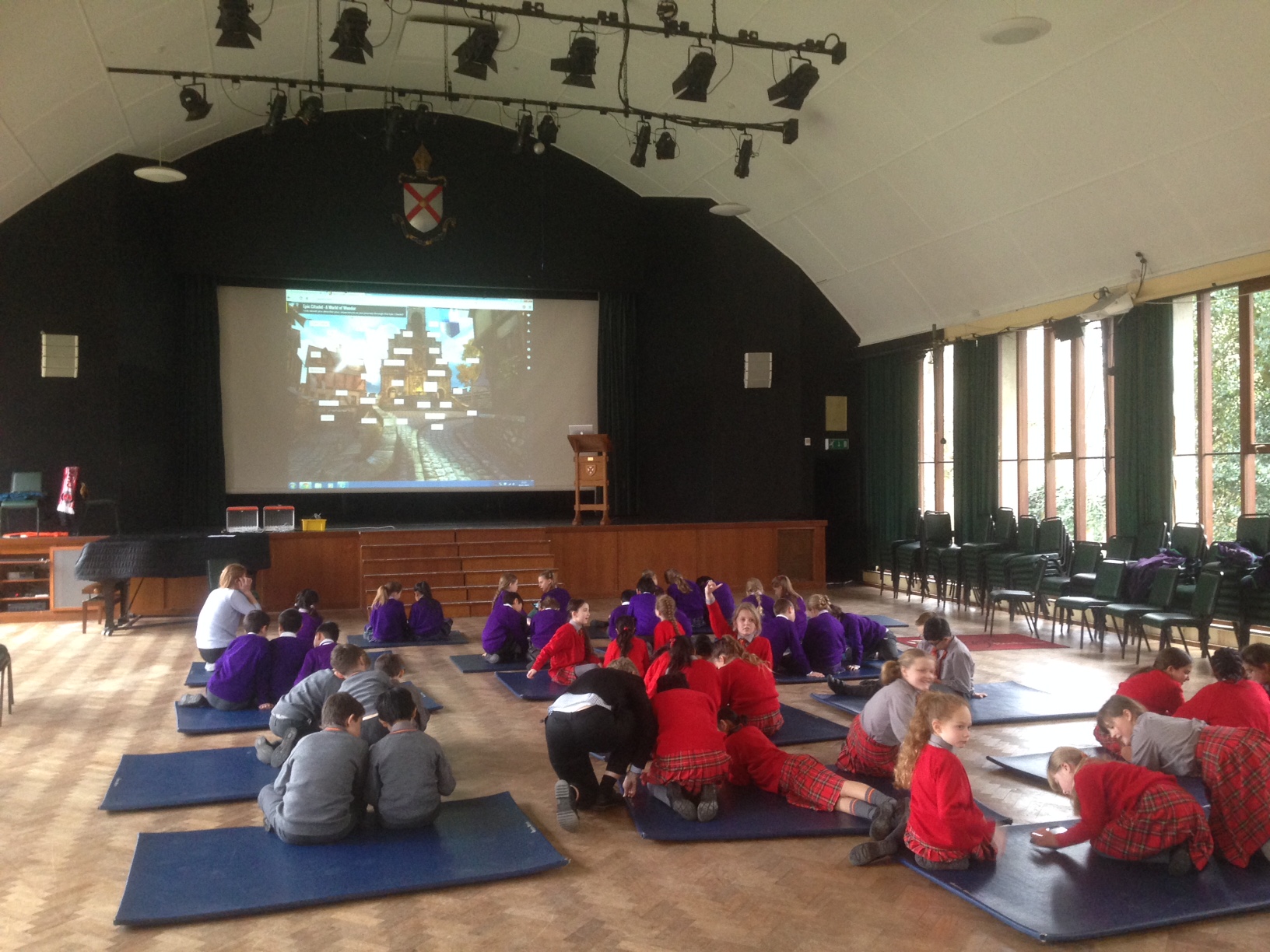
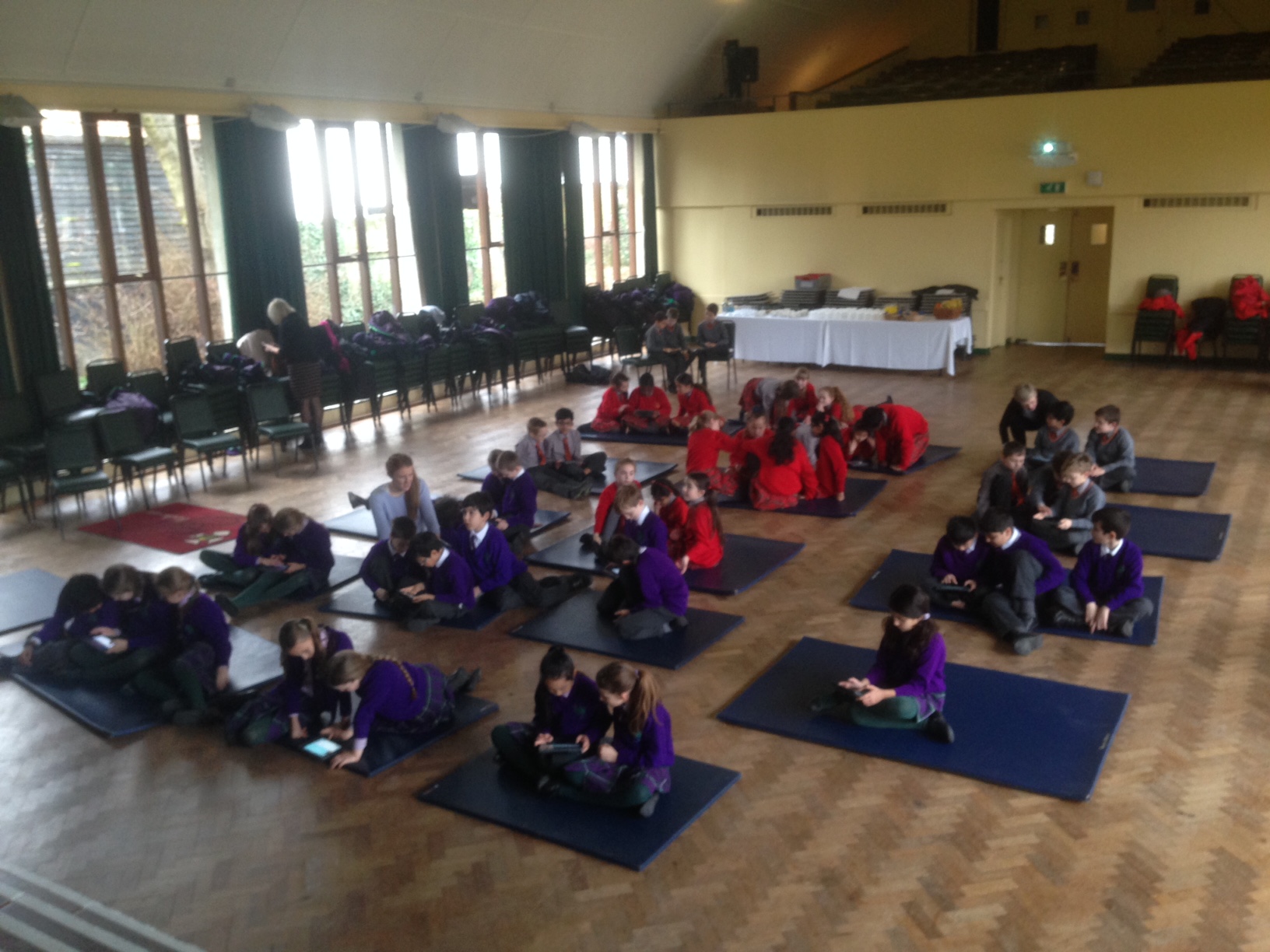
On Monday, we hosted 55 children from nearby schools at a ‘Digital Story Telling’ Day. We used the App, Epic Citadel, as the inspiration and were stunned by the quality of the writing. Using Epic Citadel was inspired by the work of Tim Rylands and ICT Mr P, although we did add a few twists of our own. Here is what we got up to:
TASK ONE – Explore The Citadel
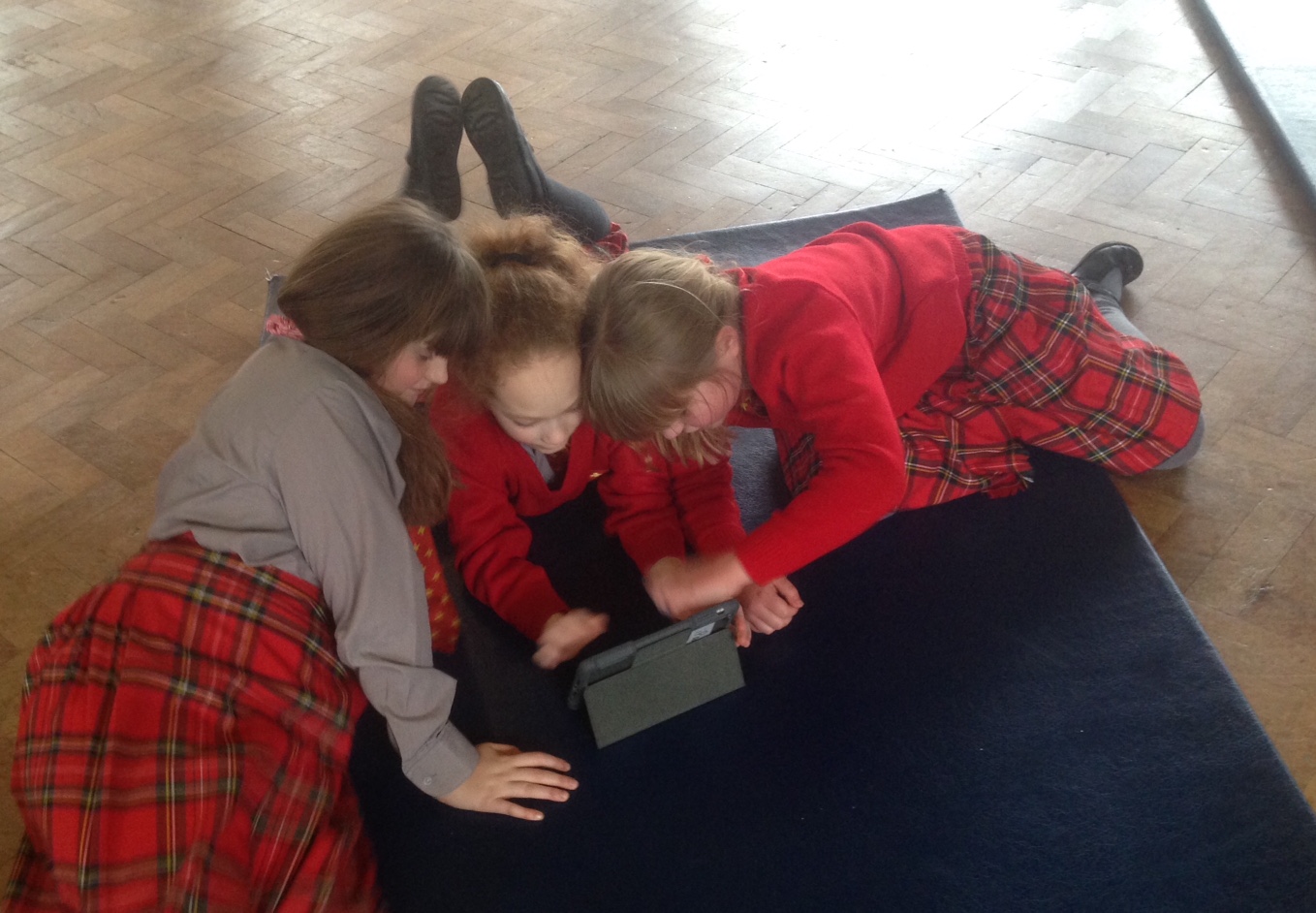
Use your iPad to explore the Epic Citadel
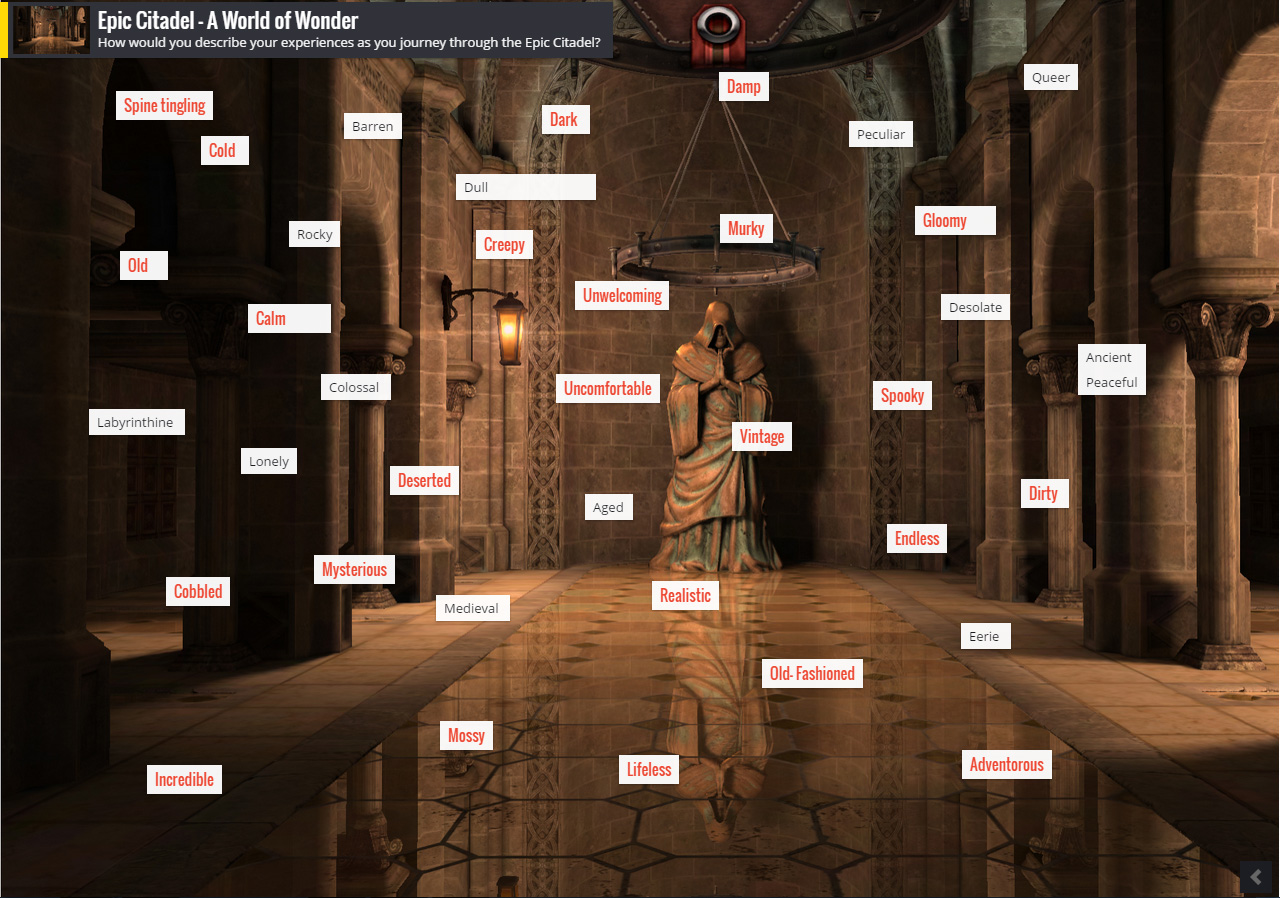
As you explore, use notes to write down words that describe the settlement and the feelings you experience as you wander the streets
We will meet every group and ask them for some of their words and use Padlet to create a visual display of them
We then used our teacher iPads and Padlet to collate the words from the children, and project them onto the big screen.
TASK TWO – Create a Digital Word Cloud
Use a selection of the words on display and the app, Tag Cloud, to create your very own digital Word Cloud that you can include in your digital book
When you have finished your tag cloud – make sure you save it to camera roll
TASK THREE – Describe Epic Citadel in a descriptive paragraph
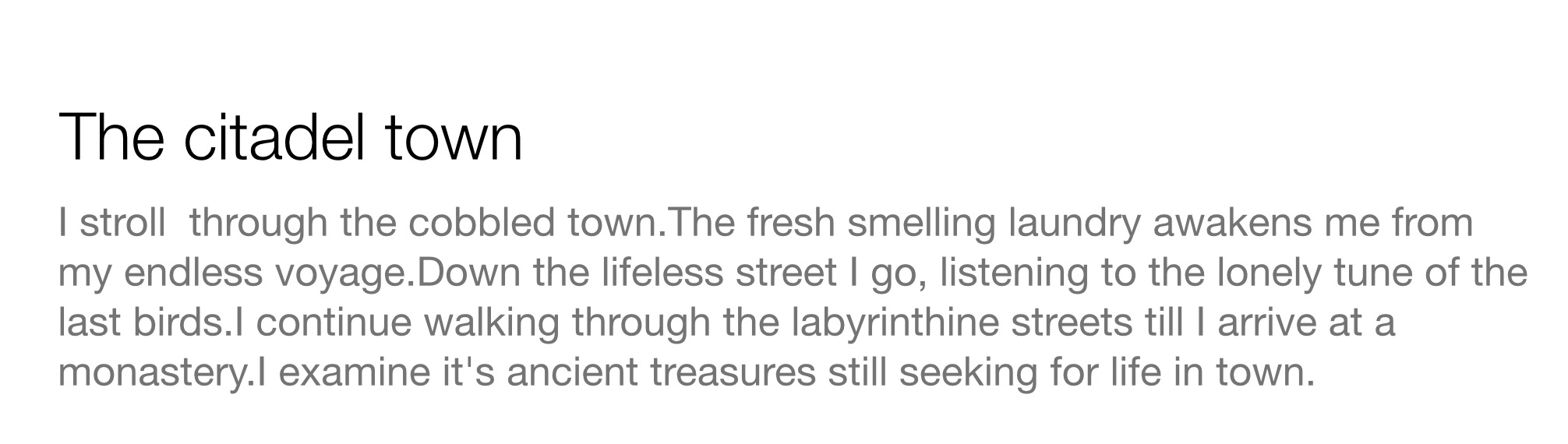
Use Keynote to write your descriptive passage on Epic Citadel, use the words in your Word Clouds to fuel some amazing writing.
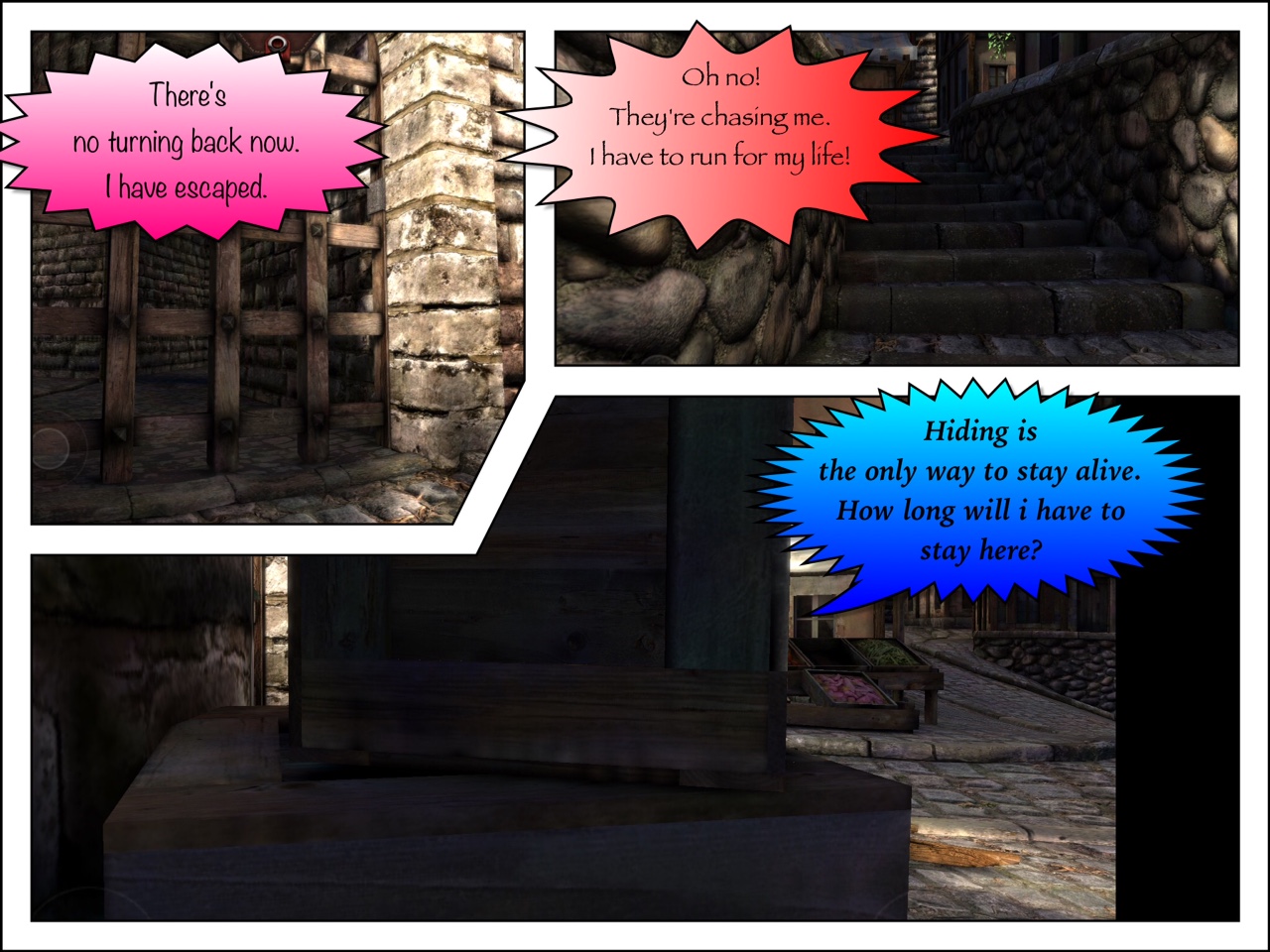
Task Four – Epic Comic
Choose from one of these scenarios:
You have just escaped from the dungeon
You are the only survivor and are being chased by a killer dragon
You need to find the princess who is imprisoned in the tallest tower
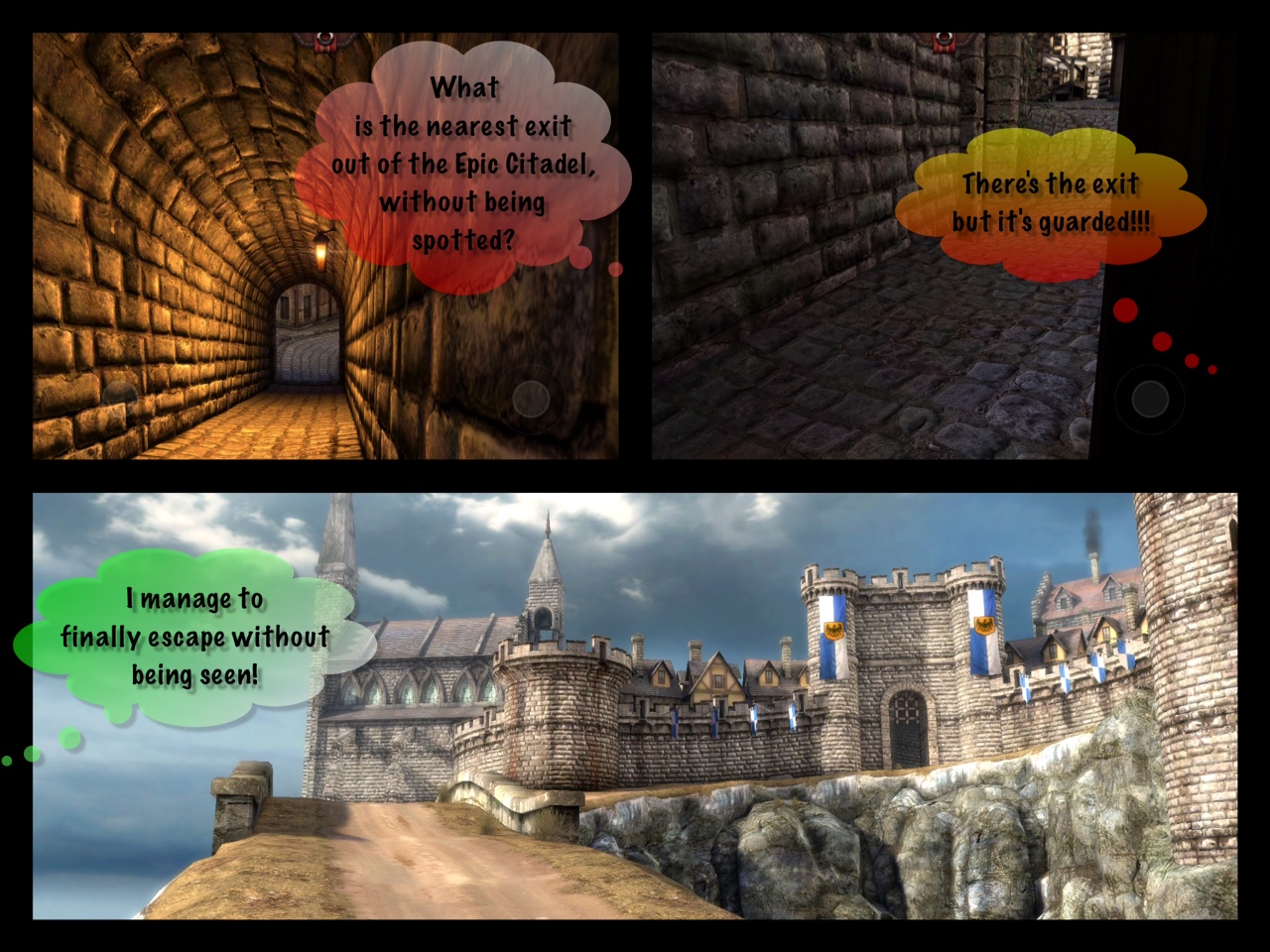
Take some screenshots from Epic Citadel that fit in with your scenario, adding them to your camera roll
Choose a template
Import the pictures into Strip Design
Add the text that tells your story using text balloons
Edit your text boxes appropriately
Save to camera roll
Task Five – Epic Puppet Pals
Imagine that you, your partner are either a dragon, witch, knight, princess or fairy godmother are in the Epic Citadel! What would you talk about?
Use Pages to constuct a 30 second dialogue between the characters you choose.
Start the Puppet Pal App
Select your two characters
You can choose between three parts of The Citadel, a castle, the dragon’s cave or the enchanted forest. Just pick TWO of them.
Act out the dialogue
Save your final scene to camera roll
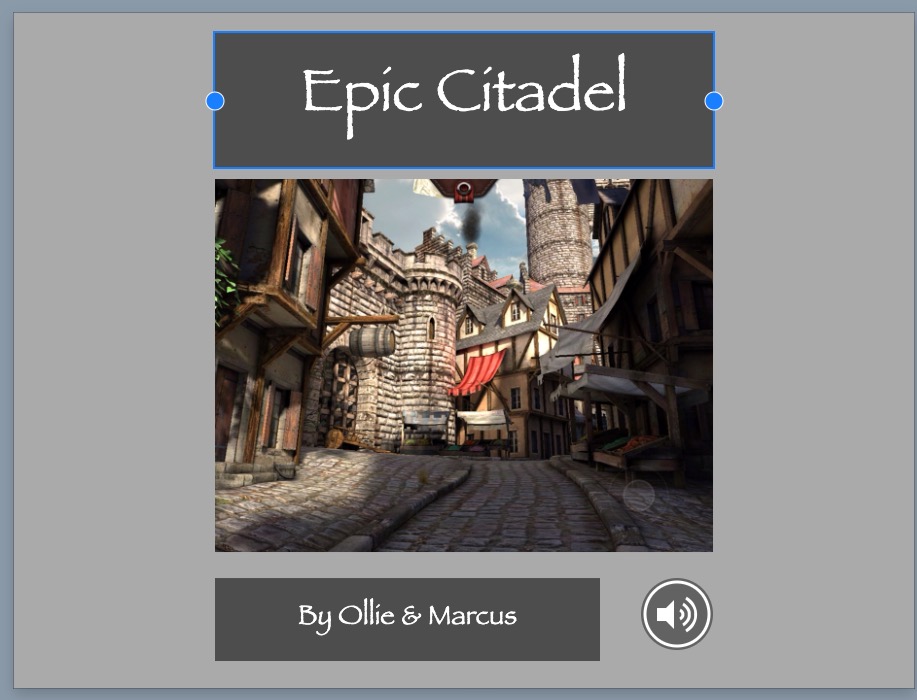
Task Six – Create Your Own Digital Book
Use Book Creator to put your work together
Add narration where appropriate
Reflections
It proved to be a great day and some of the writing was extraordinary! There are all sorts of extensions you could add to your book, such as a Morfo to bring alive a Medieval character or even use a green screen to put the children into the Epic Citadel itself!
It’s happening. WiFi is arriving at King’s Rochester. Not just any WiFi either – we are lucky enough to be having a cutting edge, fully managed and scalable Meru Network installed over the Christmas break. The good news does not end there. We will also be the lucky recipients of 20 shared iPads and the necessary MDM required to manage and sync the devices. Considering where the school was a year and a half ago with regard to technology, it truly is a huge step forward for King’s. However, the real work has not even started yet…
The WiFi and iPads will be rendered useless if after all, they make no impact on learning. After all, the devices themselves are inanimate objects. On their own they do nothing. However, if the project is managed successfully – there is every chance that there will be a dramatic shift in the boundaries of learning and the conventions of the traditional classroom will finally be displaced. Nevertheless, it is that very change, that shift in parameters, which brings with it the project makers or breakers. During a recent NPQSL seminar, we were presented with the Dimensions of Change table you see below and this provided the perfect platform for me to reflect on our project thus far, and analyse what we were doing right -and where we will need to take action.
VISION – since starting at King’s, I have had a clear vision of where I wanted the school to be. I used my experience of establishing a 1:2:1 program in Monaco, conversations with other professionals and visits to schools with mobile learning infrastructure to hone this vision to one that matched the needs of my school. However, a solitary vision is rarely successful. Knowing this, I organised an ‘EdTech Committee’ in which the Heads of School , Heads of Computing, ICT Manager and Bursar started to meet to discuss, analyse and formulate a shared vision of WiFi and how Mobile Learning would best be deployed in each respective school. However, to avoid confusion it is essential that the vision is shared, understood and supported by all members of the school community.
SKILLS – For technology to be usefully deployed in the classroom and for redefined learning opportunities to take place, teachers need to know how to use the technology available. There have been plenty of examples of thousands of pounds being wasted on tech, as money was not spent on CPD for the teachers who were supposed to use it. With that in mind, we have been running in-house CPD sessions for over a year now. Ranging from superb in house Teach-Meet sessions to Apple Tech breakfast workshops. However, attendance has not always been as good as it might have so it is vital that this continues. I have established Digital Leaders who I am to train on the iPads and who therefore will be available, in every class, for teachers to utilise should they feel the need. I also aim to up to the quality and quantity of iPad CPD over the coming years to ensure teachers skill levels and confidence is continually building. We have also utilised external CPD through Trilby, Solutions INC and ADE’s such as Marc Faulder, EYFS and KS1 specialist. This will be ongoing and hopefully utilised as much as possible by our staff and prevent any unnecessary anxiety.
INCENTIVES – The incentives for staff to immerse themselves in WiFi and mobile learning are hard to quantify. Pay rises or million dollar bonuses are unlikely. However, the personal incentives for teachers to develop their own practice, learn new skills and improve their lessons are immediate. Additionally, the acquisition of new technology know-how also has the added incentive of reducing workload and stress! I find it so much easier to mark and plan on a computer and deliver my lessons digitally. I can honestly say I have not used the photocopier once in 1 and 1/2 years at King’s, what more of an incentive could a teacher want? Finally, offering new redefined learning opportunities to pupil’s is perhaps the greatest incentive of all and will hopefully help to ease any resistance.
RESOURCES – The Meru WiFi network is going to be awesome. It is future proofed, holistic, fully managed and scalable. The iPads are also transformational resources and will be able to safely rely on the network to work, so in that sense the resources are going to be there. However, knowing that teachers themselves will need tech, we have also acquired some extra iPads for departments and have also started a Salary Sacrifice scheme that allows teachers to purchase tech for use at school with at least a 32% discount. However, in an ideal world, staff would each be given a device as it’s impossible to expect teachers to use the devices if they do not have access to them and without the necessary tools, will understandably get frustrated.
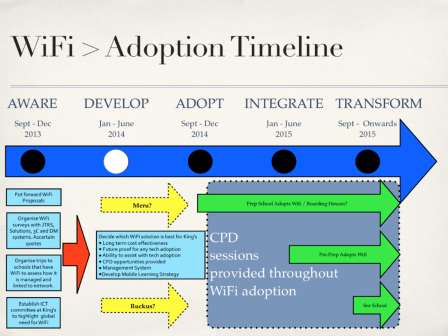
ACTION PLANS – Since the vision was originally shared back in October 2013, a clear, evolving, flexible but specific action plan has underpinned strategic development. From visiting other schools, to creating student Digital Leaders, the plan was comprehensive enough to work, but adaptable enough to change when barriers where met. For example, the original plan involved a staggered adoption, each of our three schools adopting WiFi one by one. This proved impractical and the decision was made to go whole-school all at once.
The picture above shows our WiFi adoption timeline, which forms part of the overall EdTech Action Plan. It is based on the principles of Hooper and Reiber, and each stage had a more focused Action Plan layered underneath. I am currently finalising the Action Plan for the ‘Integrate’ and ‘Transform’ stage to ensure success and avoid false starts.
COLLEGIALITY – Defined as the ‘cooperative relationship of colleagues’, collegiality is essential for success with our mobile learning project. Staff are under no obligation to use the devices, but with the correct support available, I’m certain that teachers will see the advantages of using mobile technology in the classroom and do their best to make the project work.
The future at King’s is not what it used to be and I for one am incredibly excited about it.
Last academic year I purchased four Raspberry Pi starter kits for school. I had read about their huge potential via blogs, twitter and indeed, the national press but to be honest, upon there arrival, I was a little disheartened. I had no HDMI monitors so had to wait until they arrived, then my network manager said he was unable to hook them up to the network, and at that point I had no WiFi so I could not even get access to the internet via the credit card sized computer that had promised so much.
I took one of them home and got it working, but after some initial excitement and progress, it soon ended up back in it’s box gathering dust. Nevertheless, although it was out of sight, the Raspberry Pi was not out of my mind. It was clear that the £30 computer had an awful lot of potential in the classroom and was something that many of my students would love to get their hands on. I just needed something or somebody to help me unlock it’s secrets and gain the confidence to unleash the Pi into my curriculum.
Pi Towers
Welcome to Pi Towers!
Remarkably, my prayers were answered when I noticed a link on twitter, directing interested teachers to apply for ‘Picademy’. I duly did just that and enjoyed two days of the best CPD I have ever had the pleasure of undertaking. ‘Pi Towers’, as they are known, are situated in Cambridge and proved a great venue for the 20-or-so teachers who had been selected to attend. Day one was spent learning about the various different features of the Pi and some introductory taster activities that certainly wet our appetite for more.
Sonic Pi
Sam Aaron showing Sonic Pi
Sonic Pi now comes as standard on all new Raspberry Pi B+ devices and is really quite extraordinary. It is the brainchild of Sam Aaron (@samaaron), and is a music production programme with a difference – the user codes the music! It is relatively easy to use and also rather addictive. By entering code into a window and running the programme, Sonic Pi would respond with the music you had coded – the production sounded like the offspring of Kraftwerk and Acid House pioneers Aphex Twin – both of whom were major influences on Sam. Sonic Pi could have many uses in the classroom; from music lessons through to computing lessons and I was also particularly impressed by the ‘Live Coding‘ Sam demonstrated for us.
Minecraft Pi Edition
Minecraft Pi Edition
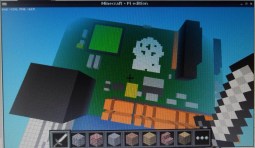
Every teacher is probably aware of Minecraft. It’s a game that has had a huge effect on school children and the fact that Microsoft just forked out $2.5 billion for it, tells you all you need to know. I am not a gamer and have never played it before, but I’m open minded enough to realise the excitement a hack-able version would cause. The Raspberry Pi now comes with one! Since demonstrating this to a few pupils upon my return from Cambridge, break-times have not been the same! I have been inundated with pupils desperate to have a go.
Scratch GPIO
Scratch GPIO
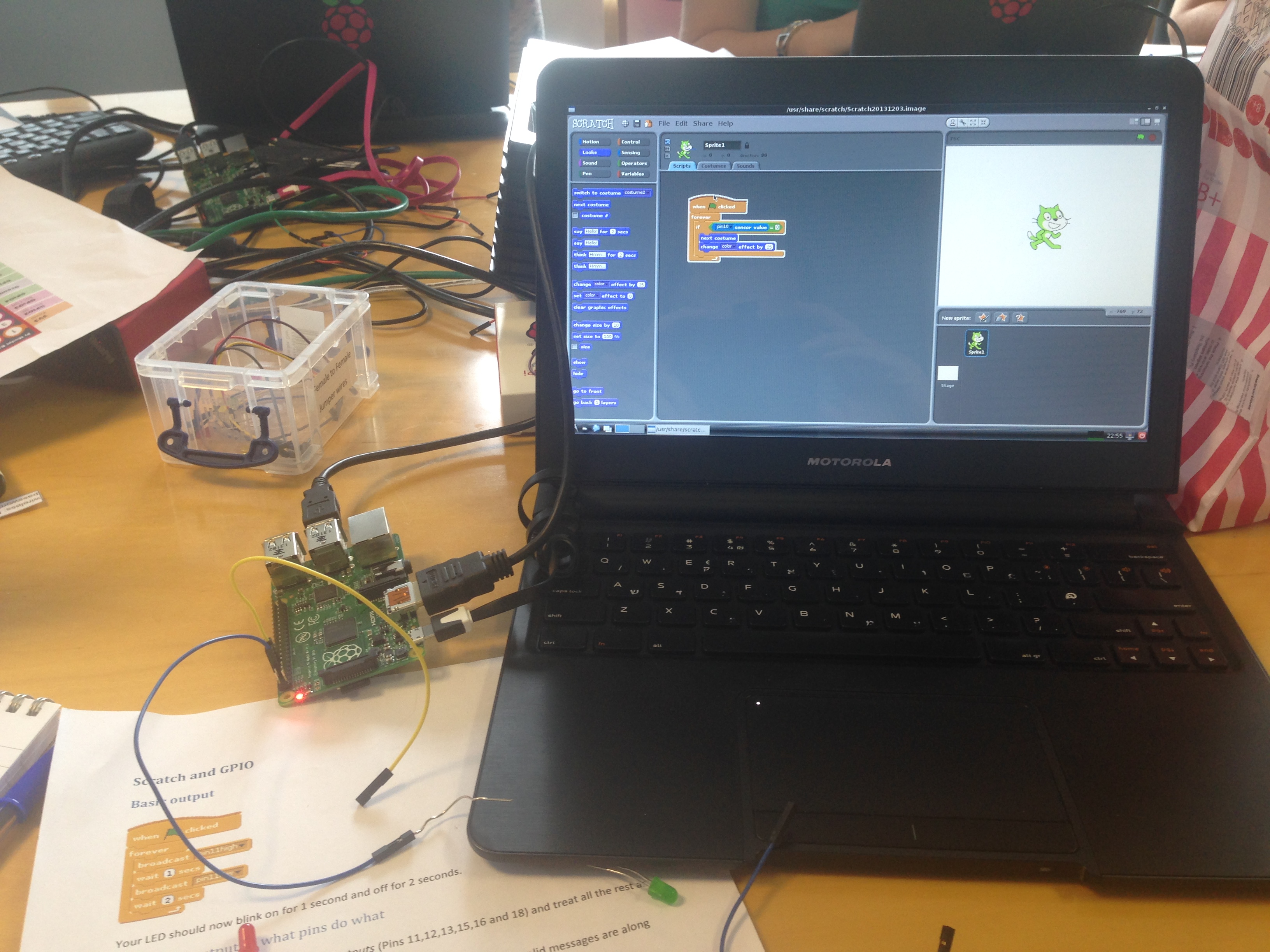
All new Pi’s will also come with a GPIO (General Purpose Input/Output) version of Scratch. Admittedly, there was a lot of effort required to simply make the Sprite move across the screen by touching two paper clips together – but it was worth it! It should also be noted that as with anything; the more one practices, the more efficient one would become in their use of both the soft and hardware.
Tuesday Projects
Pi Powered Sorting Hat!
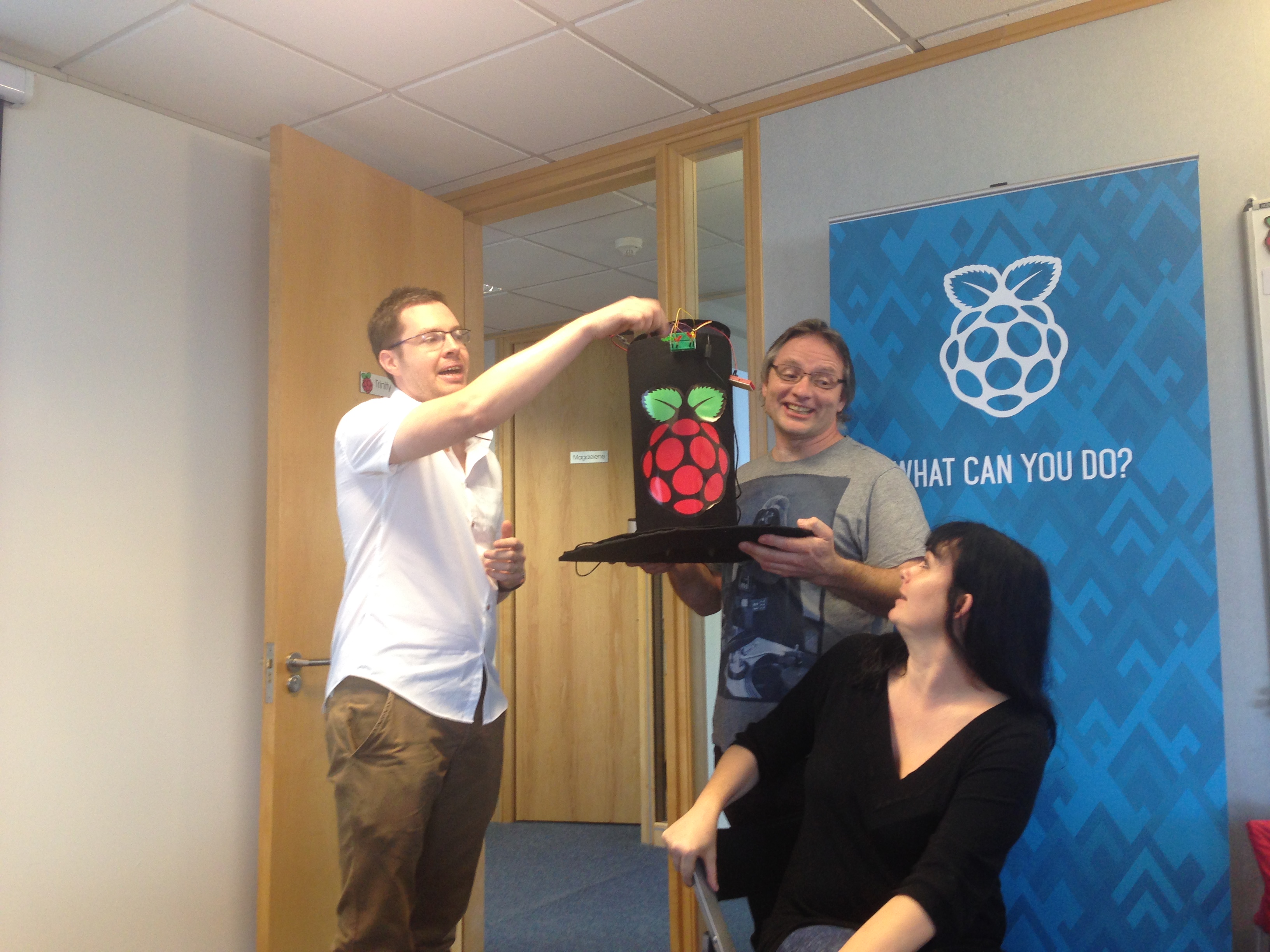
The second day at Pi Towers was rather different. We all had the chance to build on what we had learnt on Monday, and work together to complete a project. I really wanted to learn more about Sonic Pi whilst two of my colleagues decided to focus on the Minecraft Pi Edition – therefore I provided the music and they provided the dancing block-bot within Minecraft itself! Another group created an amazing, Pi-Powered, Harry Potter sorting hat! There were plenty of other brilliant projects too and everyone seemed hugely enthused with the ideas and creativity on display.
What Next?
There has been a direct, instantaneous positive effect of Picademy on my school. Already I have built a ‘Pi Station’ for pupils to use and every break and lunch time since, pupils have spent their free time hacking Minecraft, playing with Sonic Pi and getting to grips with the basics of Python. I have met with a Sixth Form student, who wishes to complete his coursework on creating a Raspberry Pi Network, and pointed him in the direction of some of the brilliant people I was fortunate to spend a couple of days with in Cambridge. Personally, I have been constantly playing with my own B+ and building on the skills and knowledge I ascertained at Pi Towers. The Raspberry Pi people really are a great bunch who have a really positive business ideal – to create the computer scientists of tomorrow by providing them with a fantastic, engaging and fun computer that opens up a whole new computing world. If you ever get the chance to help them in their quest, then I would strongly recommend that you take it.
If you want technology adoption to work, there are certain things that are imperative to success; vision, purpose and infrastructure are all essential, but of equal importance is teacher expertise and confidence. However, how can you eradicate doubt and apprehension if teachers do not have access to the technology you are trying to establish in the classroom?
In both my previous teaching positions, upon arrival, a brand new computer was automatically dished out to all new teachers. Indeed, after I established a BYOD scheme at the International School of Monaco, each teacher-bound MacBook Pro was coupled with an iPad! Teachers could therefore practice using the software they were expected to use at school, in the comfort of their own homes. Moreover, many teachers took the opportunity to research and adopt new Apps and software that they introduced to their classroom. All this was then shared with regular in-house TeachMeets, a weekly section in our staff meetings and via our school blog. The de-centralisation of Edtech knowledge was in full swing.
However in September, when joining my current school, no technology was distributed to new teachers. Indeed, none of the existing staff had been provided with technology for learning either. Furthermore, it was quickly made clear that there were no plans to extend the budget to make this a possibility.
Therefore, I faced a difficult conundrum. A vital cog in the tech-revolution was missing! How could things move forward if the transformational technology was not in the hands of the very people that were supposed to be facilitating it’s adoption?
Enter the Salary Sacrifice scheme…
In a nutshell, a Salary Sacrifice scheme gives employees the opportunity to buy equipment and pay it back directly through your Salary, but with at least a 32% discount. The scheme means you do not have to pay the 20% basic rate income tax and 12% national insurance contribution. Therefore you could purchase a £399 iPad but only pay £271.32 and spread the cost over 24 months. Furthermore, the equipment is yours to keep!
Although not the Utopia of teacher tech distribution (that would be free tech to all teachers), the Salary Sacrifice does offer a very attractive option for schools who wish to ensure that teachers can develop their tech skills, but do not have the budget to provide equipment.
Once the Salary Sacrifice scheme is underway, an on-line portal is opened that contains a list of the equipment the school wishes staff to be able to purchase for use at school. Our portal was constructed by the company we chose to facilitate our scheme – Solutions INC – and I would highly recommend their first class service. The portal remains open for a couple of weeks and once staff have had the opportunity to select their goods, it shuts and the equipment is ordered. Of course there is work to be done by the bursary to adjust pay accordingly, but Solutions offer a huge amount of assistance to ensure this was done smoothly in the background. Our first portal has just closed and we have had over 25 orders placed.
The opportunities that mobile technology has to redefine learning in the classroom are incredible. However, traditional classroom barriers and monolithic teaching methods will never be shifted without teacher expertise ( and a open-minded willingness to change). Therefore, once the equipment arrives it is fundamental that we run regular work shops for staff so that they can learn and share their ideas with each other in order to bring their new skills to school and achieve the ultimate goal of raising standards and engagement.
I look forward to sharing our progress next academic year.
Blogging improves writing standards. Fact. David Mitchell (@deputymitchell) was among the first to realise the potential that writing to a real world audience has for raising writing performance. After introducing school blogging at his school, SATs levels in writing shot from 9% Level 5 in July 2009 to 60% Level 5 in July 2010. Indeed, the DofE have gone as far as too publish research on the matter.
However, the power of school blogging does not end there. The versatility of blogging is of equal appeal and the fact that a whole multitude of content can be published means that using genuine audience and purpose to boost standards should not be limited to writing, rather it should be used to encourage the raising of standards across the whole curriculum. Indeed, the opportunity blogging provides for student reflection and self/peer assessment is completely cross-curricular and on our fantastic King’s School Blog Site superb examples of work and interactivity are starting to appear. I’d thought I’d share a few examples of the versatility of blogging with you:
Challenge Based Learning
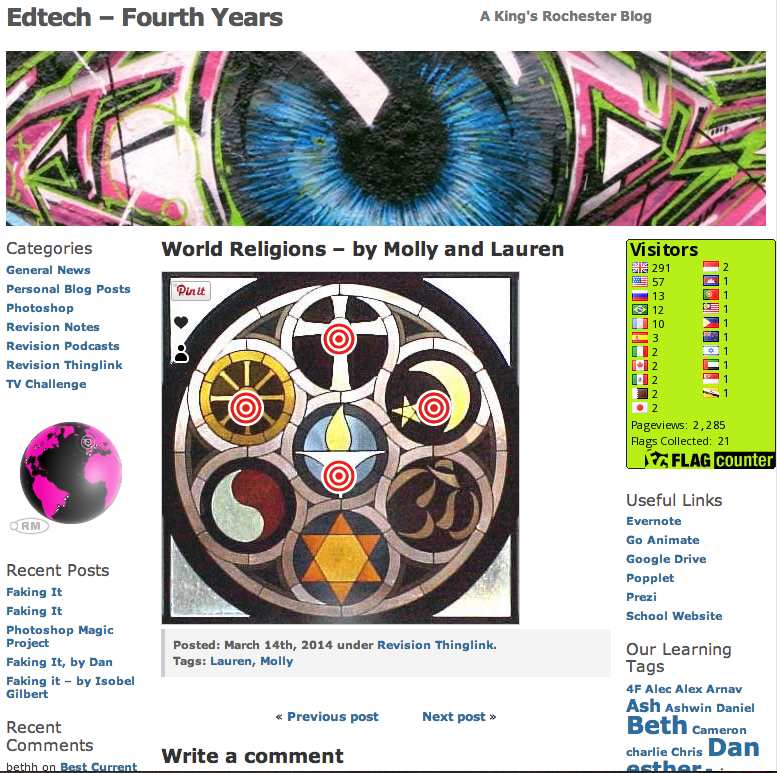
CBL or PBL can take many different forms but using a blog to post the outcomes adds real value to student work. For this project, the students created interactive revision guides for other students to utilise as exam season approached. They created podcasts, popplets, revision notes and films about specific curriculum areas and then compiled them using the awesome ThingLink. The blog then proved the perfect place to share their work; providing an easy place for other students to access their work and help with revision. This is a good example of redefinition of learning using the SAMR model; computer technology allowing for new tasks that were previously inconceivable.
Computing
I’m new to teaching computing but have found that having a blog to publish content has proved motivational for students and great for reflections and feedback. Students have used blogs to publish Photoshop portfolios, GIFs, Scratch games, animations etc and have found the interactivity highly rewarding.
Podcasting
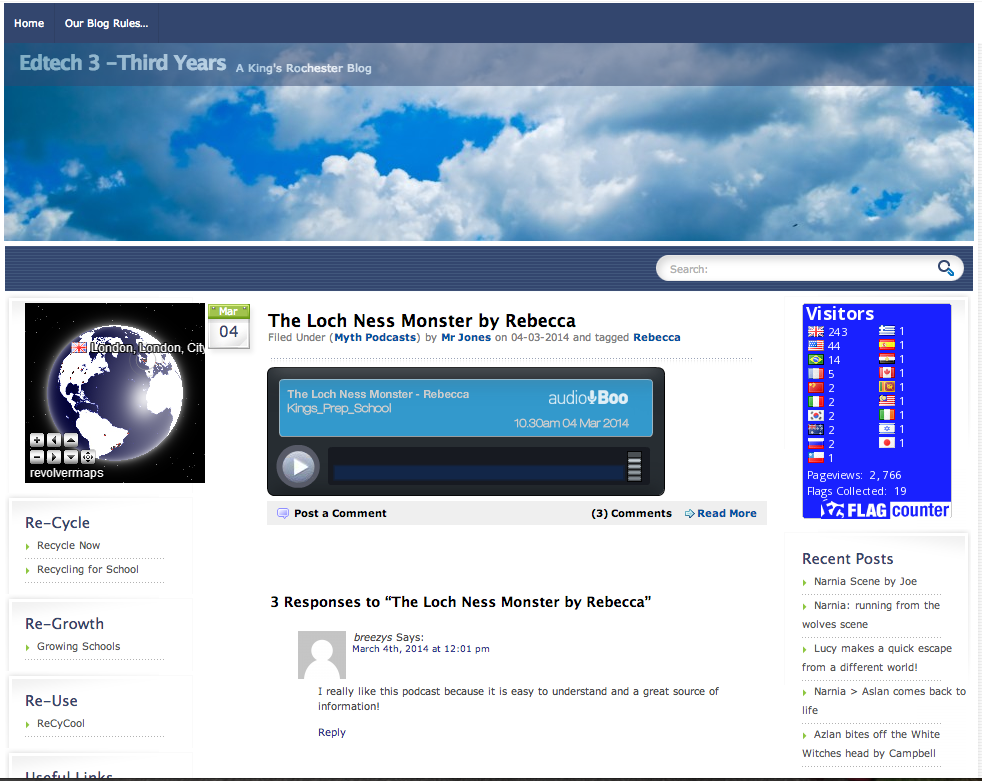
Using an easily embeddable podcasting App like Audioboo makes publishing audio content incredibly easily. As long as you have some headphones, students love listening to podcasts and commenting on them. It is also useful for students to listen to their own podcasts
Film Making
Students love making films and they encourage creativity. Moreover, what is the point of making a film if you don’t have an audience for it? Filmmaking and blogging go hand in hand. The easiest way to put your film on a blog is to upload it via either Youtube or Vimeo. The main difference is that you can password protect your Vimeo films. It’s worth setting up a school account (links above) and make sure that all films produced are uploaded to the official account as the administrator can monitor and control comments etc. Once your video is uploaded, you can embed on your school blog and make your film available there. This also means viewers will not be distracted by other options on YouTube or Vimeo.
CPD
At King’s we have recently established a CPD blog. Teachers are now posting ideas, presentations, TeachMeet details, reflections etc. which is allowing other members of staff the opportunity to access what is going on across the school and beyond. It is very rare that we get to meet as a whole staff and therefore using a portal such as this to share good practice is yet another great use of a school blog.
Presentations
The point of a making a presentation is having an audience to present it to. However, I am still amazed by the amount of students who are told to make a presentation (invariably on PowerPoint) and then it never makes it further than the school server. Really, what is the (power)point? Having a blog solves this problem! Presentations can be easily embedded and then actually presented or even simply shared with whomever one desires. Feedback on your presentation can then also be gathered form the whole entire planet!
School Clubs
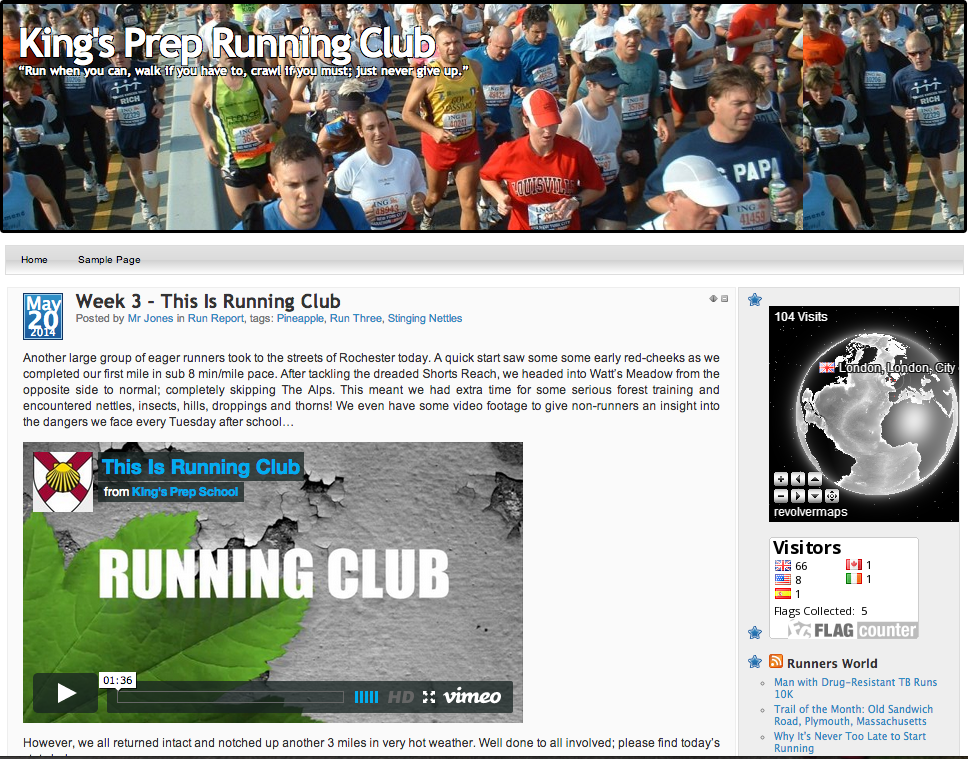
Got a school club? Why not blog about it? Blogging provides the perfect platform to share whatever you are doing with a global audience whilst providing a platform for conversation, sharing ideas and reflection. Take for example our new school running club blog. By embedding the GPS mapping of each run, the interest of participating students has soared. They can see where they ran, how far they ran, how many calories they burnt etc. Additionally, by taking pictures and video footage whilst running it is easy to then embed short films of our activities!
In conclusion the versatility of blogging is endless. Whatever is going on in your school, there will be a way to blog about it. It makes learning fun and interactive and encourages conversation, feedback and reflection – all of which are invaluable life-skills. Tomorrow sees the dawn of the final half-term of 2013-14 (where did that year go?) and with the World Cup less than a fortnight away I am currently thinking of ways to combine the magic of our school blog to the wonder of the greatest show on Earth. The power of blogging is as limitless as the creativity of those that use it.
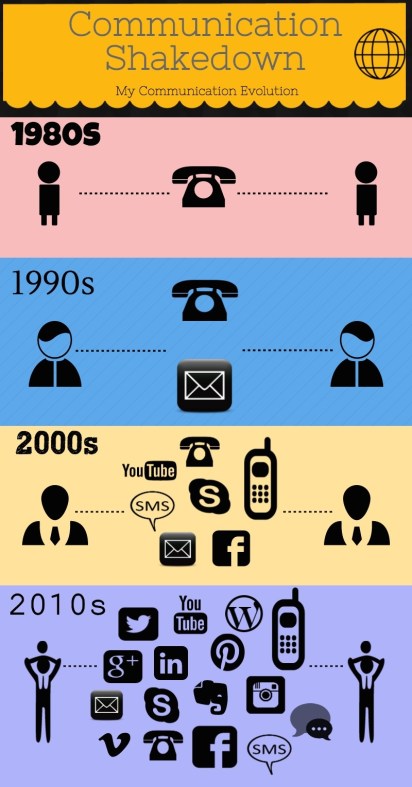
Over the past decade, the growth of social media has been quite remarkable. Global citizens have embraced new ways to communicate which have, quite literally, changed The World. Text messages and emails are fast becoming a thing of the past as new and innovative social media concepts continually spring up and pave new ways for communication and sharing. Just the other day, I was conversing with a friend of mine, @hallboy10, via Garmin Connect; a social media for runners and cyclists to share their exercise statistics and comment on achievements. It dawned on me that I was using at least 5 different mediums with which to communicate with the same person depending on the context!
The graphic on the left was made using Piktochart and demonstrates how the methods by which I communicate have changed since the 1980s. I have never been the first to utilise a social media, and until 2011 was pretty sceptical about most of them. However, I pride myself on being open to new ideas and after hearing the praises of Twitter being sung by HGJohn during his visit to The International School of Monaco, I gave it a go and have not looked back.
However, not everyone who grew up in the 60s, 70s and 80s has taken the plunge into the murky depths of social media, many preferring to skim the surface or indeed avoid getting their toes wet altogether. A consequence of this however, is the emergence of a digital-divide. Our children are growing up in a world where communication via social media is the norm and in many cases parents, guardians and teachers have no real idea about what these services provide, what there terms and conditions of use are, how they differ from each other and what their children are doing on them.
However, burying our heads in the sand is simply NOT an option. Social Media is not going away. In addition to the very clear data presented in my line-graph, there are some stark statistics that give further insight into the revolution that is happening on screens large and small across the globe:
6 out of 7 people on the planet have internet access
72% of all internet users use social media
89% of 18-29 year olds use Social Media
93% of marketers use social media for business
So, social media is here to stay, but what can be do to ensure we are comfortable that our children are using it responsibly and are aware of its dangers? I think a sensible, open minded and informed approach is best. Children are far more likely to take advice from someone who knows the difference between Snapchat and WhatsApp than someone who still thinks Instagram is a quick form of measurement. Furthermore, simply removing a device will not solve the potential problems. In fact, I believe this could be counter productive as children will still have access to social media via friend’s phones and as we know, those who are less educated in matters tend to be the ones who do or say the daftest things. Embracing the changing digital world, whilst being fully aware of (and sharing) its potential pitfalls, will most likely have positive outcomes.
Teachers, therefore, must make it an absolute priority to intertwine digital literacy within the curriculum wherever appropriate, whilst projecting a positive yet cautious approach to social media. The benefits of the internet far outweigh the negatives, but children need to be aware of the harm a damaging digital footprint can leave. Furthermore, the tragic consequences of cyberbullying should never be overlooked and positive strategies for avoiding/dealing/preventing it should be made as coherent and as accessible as possible.
Using digital leaders to promote e-awareness and responsible digital citizenship could be another idea, and one that may have an effect on those less likely to listen to a “boring old teacher”. Developing a school blogging platform also provides an opportunity for children to learn about digital literacy and use social media in a secure and authentic environment. Involving parents in both these initiatives is another way of bridging the digital divide whilst also providing a more significant audience and purpose for any published content.
Finally, as we prepare ourselves for whatever the future of digital communication may hold, holding a workshop with parents will also lead to a more knowledgeable, informed and progressive approach towards social media by all those in the school community. If you do decide to do this then please feel free to utilise this SOCIAL MEDIA PREZI that was successfully used to walk concerned parents through some of the basics of popular social media. It contains links to sites and user terms and conditions which will hopefully prove useful.
These days, content can be created in a whole host of different ways. The wonderful technology we have at our disposal allows our students (and indeed us) to construct outcomes inconceivable only ten years ago. High quality animations, computer games, interactive books and movies can all be planned, edited and produced in a matter of days and then published to a global audience. The sceptics out there may start questioning the impact on standards etc, but I feel they are missing the point. ‘Standards’ can be raised by teaching to the test if you wish to judge standards by SATs results. I prefer to judge standards by pupil engagement and the production of high quality , contextualised, meaningful content. The creation of podcasts is a great tool for doing just that.
Recording a podcast could not be simpler. In fact, it’s a great starting point for teachers who wish to incorporate more technology within their lessons. Our Podcasts were created using the Audioboo App; it is available in both the App Store and on Android. Once an account has been established, you are able to start recording directly from the home page. The free version allows for a three minute podcast to be recorded and as soon as you have finished you simply hit the publish button and your podcast is available on line.
Ideally, classroom podcasts are used in conjunction with a school blog and embedded upon them. This is beneficial because you then have a central hub on which to compile your podcasts; subsequently they are easy to find and share. Moreover, comments and feedback can be easily provided and appreciated. To embed a podcast, you simply access your Audioboo account on a computer, retrieve the embed code and then paste the code to your blog post.
The hard work behind a good podcast comes in the planning stage. Firstly, I would recommend that the subject matter is of interest to your learners. Making a podcast for the sake of making a podcast will have not authentic value. However, making a podcast on a subject which offers subjectivity, interest or opinion will ignite passion and hopefully encourage lively discussions. A historical argument, political perspective or perhaps even a controversial sporting decision could provide exactly the spark required. At King’s Prep School it was the reliability of the internet that lit the fuses of debate.
I showed the children a few videos that were easily accessible on line and then asked the children their opinions regarding how trustworthy they believed each clip to be:
This led to some fantastic discussions about internet reliability and wider discussions of digital citizenship. Students then selected popular myths/legends and then, over a series of lessons, used the internet to ascertain evidence as to their validity. They found evidence for and against their respective myths and took relevant notes, always bookmarking their sources. The students took into account factors such as domain names, authorship, bias, authenticity and article-age to draw their own conclusions. Please visit King’s Rochester Blogs to listen to the wonderful podcasts that were created. Your comments would, of course, be hugely appreciated too.
In conclusion, creating a podcast allows students to develop several important skills such as researching, writing, speaking effectively, solving problems, managing time, grabbing attention and improving their vocabulary. They also can be used effectively by children who struggle with writing as an alternative method of communication. Furthermore, podcasts are easy to consume and when used in conjunction with school blogs can facilitate fantastic discussions. Overall, they are a simple, fun and highly effective outcome that any teacher can easily utilise and adopt into their classroom.
Originally, I was a twitter sceptic. Facebook was my social media of choice and you can use more than 140 characters! What possible benefit could I get out of twitter? However, I pride myself on being open to new ideas and after hearing the praises of twitter sung by John Sutton (@HGJohn) during a trip to ISM, I decided to give it a go. Three years later, I have changed from the original Twitter heretic to a full on, hand-clapping disciple who is himself, trying to preach the gospel of twitter for teachers!
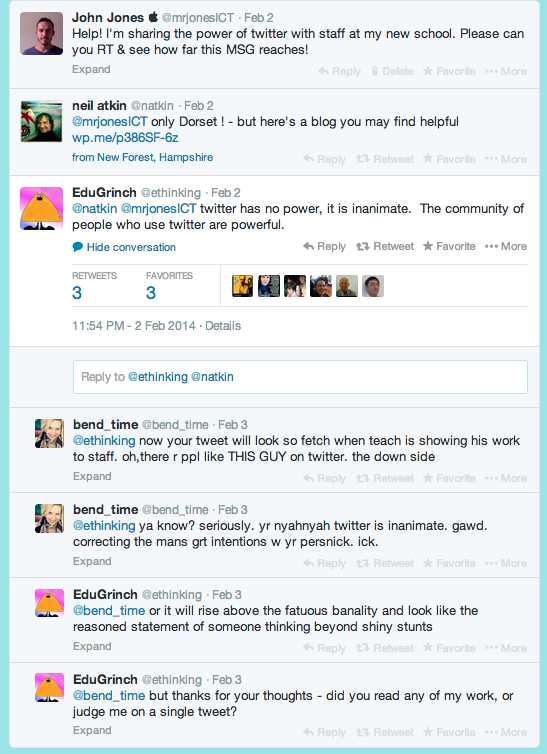
My first sermon at King’s took place last Monday, 3rd February. I ran a session at school in which I extolled the virtues of Twitter to a group of our staff using a combination of my Twitter for Teachers Prezi & my live Twitter Feed. In preparation for the session I sent this during my daily, muddy walk to school through Watts Meadow in Rochester.
Help! I’m sharing the power of twitter with staff at my new school. Please can you RT & see how far this MSG reaches!
The reverberations from that one, single tweet were quite incredible and were a microcosm of the wonders of twitter. Thank you to everybody who contributed in any way, shape or form.
The ADE institute in Cork was inspiring in a multitude of different ways. However, one of the seminars in particular, resonated with me. It introduced me to the power of CBL, or challenge based learning, and the impact multi-disciplinary, real-life learning could have on students. Perhaps though, I should say re-introduced as Jenny O’Fee, the Head of Primary at The International School of Monaco, has long been an advocate of similar practice and indeed, developed the ISM Exhibition around this concept.
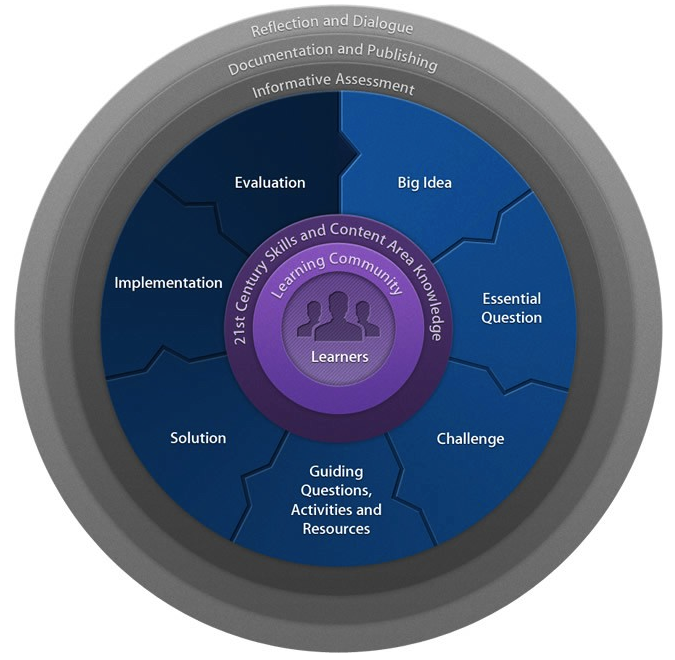
Challenge Based Learning Continuum
The Big Idea
The process starts with a Big Idea; a broad but engaging concept that forms the umbrella under which all the resulting work resides. I decided that each year group would have the following Big Ideas and relate them all back to our school. (Links are to the accompanying blogs)
Next came the formation of the Essential Question. The students used the Big Ideas to formulate of a whole host questions that connected them back to King’s, eventually each year group/class (depending on context) narrowed their thoughts to one Essential Question. Padlet proved to be a great tool to complete this process, as every single member of each class participated and voiced their ideas. This is of particular significance when considering the importance student ownership and engagement has within CBL.
The essential questions each year group/class decided upon are:
Year 5
“How Can We Help Keep Our Community Safe On Line?”
Year6
“Rochester Castle is decayed on the outside, but what secrets lie behind those walls?
“Rochester Cathedral is on our doorstep, but has it revealed all its secrets?”
“King’s School has existed for over 1400 years, but what do we actually know?”
Year 7
“How Can We Plant For Future Generations?”
“Do we re-cycle enough at King’s?
“By re-using old equipment at King’s, can we make our school more sustainable?”
Year 8
“Could the lobby TV inspire us to make a difference at King’s?”
The Challenge
Each class has now sub-divided into smaller groups, and within those groups children have developed their own individual focus of study. They are now developing their next steps and already I have seen plans to collaborate with peers, teachers, experts in their communities and around the world. They are keen to utilise the technologies at their disposal and incredibly excited to create solutions that will result in concrete, purposeful action.
Like them, I can’t wait to see where the journey takes us…
I have just returned to the UK, after five years working in International Education, and have read with interest that we can all look forward to a new, “World Class” curriculum, that will “ensure the children of the UK will be able to enjoy the sort of education available to children in other countries.” Sounds great!
However, having never visited or worked in a school in what are regarded as the Worlds best education systems, how can I genuinely compare?
I would love to use Twitter to learn more about the education systems elsewhere in the World and would greatly appreciate some comments from educators, or other interested parties, who work, or have experience of working, in the countries I have started to investigate below.
I have managed to ascertain a few interesting facts; if anyone can verify, correct or indeed add to the information detailed below, I would be eternally grateful!
SINGAPORE
Equal emphasis on vocational AND academic qualifications
Huge emphasis on raising the quality of its teachers and its education leaders
Teach Less > Learn More – moved instruction away from rote memorisation and repetitive tasks
Focus on deeper conceptual understanding and problem based learning
From 2009 Art, Music and PE all gained a larger role in the overall curriculum
Introduced TEACH framework to support teacher-led professional development and work life balance
Great care taken to ensure new policies complement the old ones
Teachers trained in Singapores most prestigious higher educational institutes
FINLAND
Responsibility for Teacher Training lies in Finnish Universities in order to improve quality of teaching
Success is a result of a lone, slow and steady process, not a single policy program or administration > each step built sensibly on those that went before
United comprehensive education structure and national curriculum guidelines
Do not start formal school until they are seven years old; instead remain in play-based pre-schools or “kindergartens” until that age,
Key to success – quality of teachers
Every 4 years, Government prepares a development plan for education; constantly adapting to the changing needs of the country
Focus on:
Smaller class sizes
Enhancing remediation and special needs training
Improve teachers working conditions and develop new opportunities for Professional Development
do not begin to study simple fractions, such as halves and quarters, until they are at least seven.
AUSTRALIA
De-centralised education system > although there is a common framework for the country’s states and territories
Enhanced Professional Development opportunities
National Partnership to improve Teacher Training and retention
Developed a National Assessment programme and National Curriculum in 2009
Slight decline in maths and reading meant a $67 billion infusion into the education system
Initiatives targeted ailing school infrastructure and underacheiving students
CANADA
No federal level education ministry
Strong focus on integration of immigrant children
Prior to 2003, Canada had aggressive education reform strategy. Centralised testing and teacher accountability deeply alienated teachers and the unions
After 2003, teachers were engaged through an agenda THEY played a strong role in designing rather than one imposed on them
Established a literary and numeracy team, separate from the ministry, who worked with schools to set high but achievable goals
Student success strategy – focused on identifying potential drop outs & providing them with additional help to succeed e.g. new high school majors
Government provided funds to schools to hire specialist, designated teachers in problem areas
I will leave you to draw your own conclusions about how our prospective “World Class” curriculum compares to the above. `
Hopefully, comments below will assist us all further in ascertaining the real parallels between these leaders in educational provision and what we will face in schools from September 2014.




 originally shared back in October 2013, a clear, evolving, flexible but specific action plan has underpinned strategic development. From visiting other schools, to creating student Digital Leaders, the plan was comprehensive enough to work, but adaptable enough to change when barriers where met. For example, the original plan involved a staggered adoption, each of our three schools adopting WiFi one by one. This proved impractical and the decision was made to go whole-school all at once.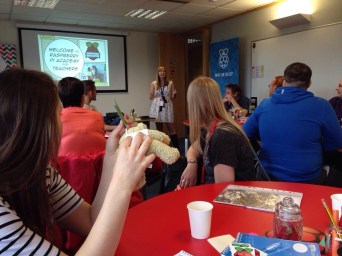




 In addition to the very clear data presented in my line-graph, there are some stark statistics that give further insight into the revolution that is happening on screens large and small across the globe: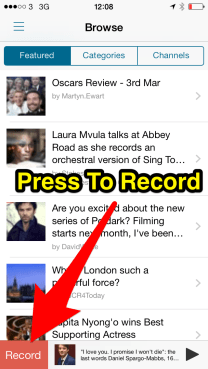
 Learn. Teach. Repeat...