At the City Ground on Tuesday, the Nottingham Forest fans compared Charlton striker Simon Makienok to Andy Carroll in a less than favourable light. His performance against Forest was distinctly average and he missed two guilt-edged chances to win the match. There were even a few grumblings about him eminating from the 400 or so Addicks who made the 300 mile round trip.
How quickly things can change.
Against Hull City yesterday, the 6’7″ Danish striker was the man of the match, scoring a great header in the 52nd minute following an inch perfect pass from Johann Berg Gudmundsson. He returned the favour in the 8th minute of injury time; teeing up the Icelandic No.7 to head a brilliant 98th minute winner that sent The Valley into scenes of delirium! It was a fantastic end to a very assured performance from the new look Addicks. So much so that manager Guy Luzon was sent to the stands for an over enthusiastic celebration that saw him run Mourinho style down the touchline and disappear underneath a pile of ecstatic Charlton players!
Luzon must take a huge amount of credit for yesterdays performance and indeed, for Charlton’s excellent start to the campaign. When the fixture list came out I was concerned that we would get to the end of August with little to show. Home matches to two of the relegated teams, QPR and Hull City and away games at pre-season promotion favourites Derby and Nottingham Forest looked daunting. However, to take 8 points and remain unbeaten is a substantial achievement. Moreover, the collegiality and work-ethic apparent in the first team suggests a really good team spirit that bodes well for the rest of the season.
Another player who stood out yesterday was new-boy, Ahmed Kashi, who played superbly just in front of the impressive back four. He was a constant nuisance to Hull City and broke down plenty of attacks and distributed the ball with a calm sense of intelligence. Patrick Bauer continued his excellent start to the season and also deserves a special mention as he appeared to dislocate his finger in the second half and the whole crowd winced as the physio popped it back in the centre circle!
After the final whistle, Addicks fans poured out onto the sun-soaked streets in SE7 in great humour and voice. Last minute winners are always special and this was no different. The team deserved the 3 points and the offensive, attack-minded approach favoured by our manager really is breath of fresh air that complemented the glorious August afternoon perfectly.
Amsterdam, or more specifically Noordwijk, played host to this years ADE (Apple Distinguished Educator) Instiute which welcomed the amazing Class of 2015 to the programme. As in Cork 2013, the best thing about institute is the opportunity to meet like-minded, dedicated educators from across the planet. Of course, Apple provide the opportunity for all attendees to learn a lot about their awesome products and how best we can use them in the classroom but I also learned (or had confirmed) a few other things that I would like to share:
1 – I`m not mad
I work in a school that only had WiFi installed in January this year. Although a roller coaster ride, the thrills and spills were worth it as we are initiating our inaugural 1:2:1 programme THIS September! The details of our journey can be seen in this short film: However, what the movie does not show is the feeling of isolation suffered at various points on our journey. People who don’t get educational technology often look on it (and the people that purvey its benefits) with cynicism and scepticism. However, at the ADE institute, every single attendee, ‘get’s’ technology in the classroom. They have seen first hand the difference it can make and help me to realise that I am not a lone-madman hell-bent on a irrational desire to force technology upon schools who ‘don’t do things that way’.
2 – Tech changes lives
One of the greatest aspects of the ADE institute 2015 was the daily round of ADE showcases. ADE’s from all over the World had three-minutes to tell their stories. The school locations, age-ranges, demographics etc. varied wildly but what every story shared was clear and compelling evidence of the difference schools and teachers who embrace technology were making to the lives of their students.
3 – Tech is a tool – it’s teachers that really matter
Great teachers have existed since the dawn of humanity whilst arguably, decent technology in schools is still in it’s infancy. Part of being a great teacher is the ability to adapt your practice and embrace change when it enhances learning. There is NO doubt that technology has changed the potential in and outside the classroom (ask any ADE). However, without proactive and creative teachers forging new ways of using the technology, progress and change would be impossible.
4 – iTunesU Course is getting better
I’ve used iTunes U Course manager a few times, but with shared devices I was unable to utilise it’s full potential. Clearly, with a 1:2:1 project I am already looking forward to harnessing the huge power of the fantastic classroom tool. However, I attended a session where the fantastic new features were shared and we can now enjoy:
Homework hand-in
Annotation tools
Private discussions
Integrated grade-book
Multiple attachments for assignments
Essentially, this means that iTunesU can now replace Edmodo, Showbie and the like as your complete digital learning environment. However, this is only possible in an iPad 1:2:1 setting and not forgetting a considerable amount of staff training. I’ll be pushing out my first course in September – if you are facing in the right direction, all you have to do is start walking…
5 – Deers and rabbits live on sand dunes
Nathan Ashman and I enjoy an early morning run
I love running. There is NO better way of getting to know a new place than pulling on your running gear and setting off into the unknown for an explore. I had looked on a map and noticed that we were near a beach but it wasn’t until @coby_mr ran it, that I realised how close it was. Then, during a conversation with @vickiebacondpc, she mentioned another avid runner in attendance – @nathanashman. He told me about the extraordinary 96 mile run he has planned in the next few weeks and we promptly arranged a 5:50am, 9 mile run to the Dutch dunes. It was one of the highlights of the week. The run was brilliant; we even saw a deer and sand-rabbits and although our bromance was short-lived, our conversation will live long in the memory.
6 – Twitter connects people, globally.
The conversations above involved real people. However, I have deliberately referenced their Twitter handles as connected teachers NEED to be on Twitter. I didn’t meet one ADE who was not on the influential social media and when we began work with our communities (like-minded professionals), we all instantly exchanged Twitter handles and have used it as a forum of discussion and collaboration ever since. The collaboration within our groups was truly first class: problems were aired to the table and solutions found within seconds. Imagine every staffroom being that productive. My brilliant group consisted of these fabulous educators, all of whom are well-worth a follow – @BrianEHarkins@cleyman@cordym@coby_mr@MvandeVrie@Lordlukey@fusion_ed@nielswijnhoud However, global connectivity is not simply limited to twitter, it is with great excitement that I am now looking forward to sharing content on the brilliant iPad Educators site founded and run by the inspirational ADE, Steve Bambury (@steve_bambury).
7 – I love creativity
Another highlight was the live demonstration of Final Cut Pro and Logic Pro by two Apple employees, who basically designed them. It was mind blowing. They started with a few pictures and video clips and then, live on stage, cut between the two programmes to produce a stunning short clip, complete with self-composed sound track and 3D titles. Very cool and an idea of how (relatively) simple it has become for students to produce high quality productions if they have the necessary tools.
8 – Profile Manager is getting better
As mentioned before, we roll out a 1:2:1 iPad project across Year Six in September. This is a big deal for any school and we want it to work. We have installed a significant amount of trust in our resellers, Solutions INC from Brighton, and they have recommended we use the Lightspeed MDM version as the original Profile Manager would not be fit for our needs. We have used Profile Manager with our shared devices and it has been OK. However, the session on the Profile Manager updates suggested that Apple were increasingly aware of the drawbacks and were making forward thinking changes that will enable it to be more trustworthy in a 1:2:1 setting. However, I`m going to wait until I hear feedback from other schools before suggesting any form of change…
9 – Photography really is an art
Bill Frakes inspired photography by Gavin Smart
Another highlight of the week was the session by Bill Frakes, a Pulitzer-Prize winning photographer and general fascinating bloke. His photography is stunning and he showed a film that showcased his talents and his focus on the sky. It really was a breathtaking session and reiterated the talent required to spot everyday occurrences, moments in life, and turn them into extraordinary art. After the session, @gavinsmart emulated Frakes with this great shot which, unbeknown to me, featured myself calling home. I did attempt to emulate Frakes myself when I got to the beach after a run, however my work resembled a photograph taken by 5 year old learning how to use a camera for the first time. In fact, that’s probably a disservice to 5 year olds but did re-iterate the talent photographers have.
10 – Every Teacher has a story
People. The abiding memory of the ADE Institute 2015 in Amsterdam is people. From the initial shuttle bus to our hotel, right until my train journey back to London Victoria, conversation was flowing about the fascinating, absorbing and compelling world of education. Meeting so many great educators was a real privilege and listening to each respective story reiterated what a wonderful job we all do. Living during a time of international tension and conflict, it was so refreshing to meet people from every corner of the planet, each with a common goal and a unique story to share.
Its happening. In September, we are initiating a 1:2:1 iPad project across Year Six! Two years of research, planning, hard work and graft have paid off and the school is looking forward to an exciting 2015-2016 full of new and engaging learning opportunities. Considering where the school was a couple of years ago, with regard to tech-infrastructure, it really is a huge step-forward. However, for the project to be successful, a clear and well-structured Digital Workflow is paramount to it’s success. Using the awesome Thinglink, I have created an interactive version for use by our teachers. It gives them an opportunity to learn more about the Apps/Tools and also provides information on how they could be used.
The King’s Prep digital workflow is based on an original by Greg Hughes but adapted to fit the needs of our school. Establishing a digital workflow helps classrooms operate with efficiency and allows teachers to personalise instruction, collect, mark, assess and return work. Establishing a successful workflow requires careful thought, experimentation, and research into the best apps for accomplishing tasks in the context of your school.
As an adult, I love Spring and saying goodbye to long, dark and cold nights. However, I distinctly remember as a teenager, dreading what has traditionally been exam season. In an attempt to alleviate some the stress inflicted on our y8’s, I decided to dedicate the computing curriculum time to revision in other subjects.
This may sound odd, and neglectful of computing, but my theory is that by using technology to create engaging, interactive revision guides that both bookmarked useful sites and allowed students to create their own content, I would be providing them with the best of both worlds; time to learn, consolidate and revise but also time to create high quality digital content.
The ideal tool to do this is Thinglink. A free resource that allows users to pin links/video clips/images to an image of their choosing.
Example of student description of link
Students were encouraged to pick curriculum areas in which they lacked confidence and then develop their research skills and collate useful and helpful websites. Short descriptions and links were then added to their Thinglinks that explained the resource at the other end of the link.
Once 3/4 quality links were attached to their ThingLinks, students were then encouraged to create their own content. This could take the form of a film, blog post, podcast, popplet, quiz, prezi or whatever students thought would allow them to create content that would be useful for themselves and for their peers.
Examples of positive and constructive student comments.
Finally, once completed, the students embedded their ThingLinks onto their year group blog. Each student was also careful to ensure that they categorised their work properly therefore creating what is now a complete revision hub, across all subjects, available to all students locally and indeed, globally! The categories range from German Revision to the Great Reform Act and contain superb links to both web content and self-created content. Another huge advantage of blogging is the ability for children to comment on each others work. This has done wonders for their self-esteem and has also created a great atmosphere of collegiality between the students .
I have embedded a few examples below but please take the time to visit their class page and even better, leave a comment or two!
I recently ran a CPD session for our maths department and was short of ideas; however I knew I wanted to avoid simply going through times table or division drill apps. A quick text chat with fellow ADE and good friend, Marc Faulder, pointed me in the right direction and I decided to demonstrate how you can use Padlet, and a variety of free maths apps to challenge thinking and use technology to provide stimulating, engaging and fun learning opportunities!
Set up your Padlet and pose a question
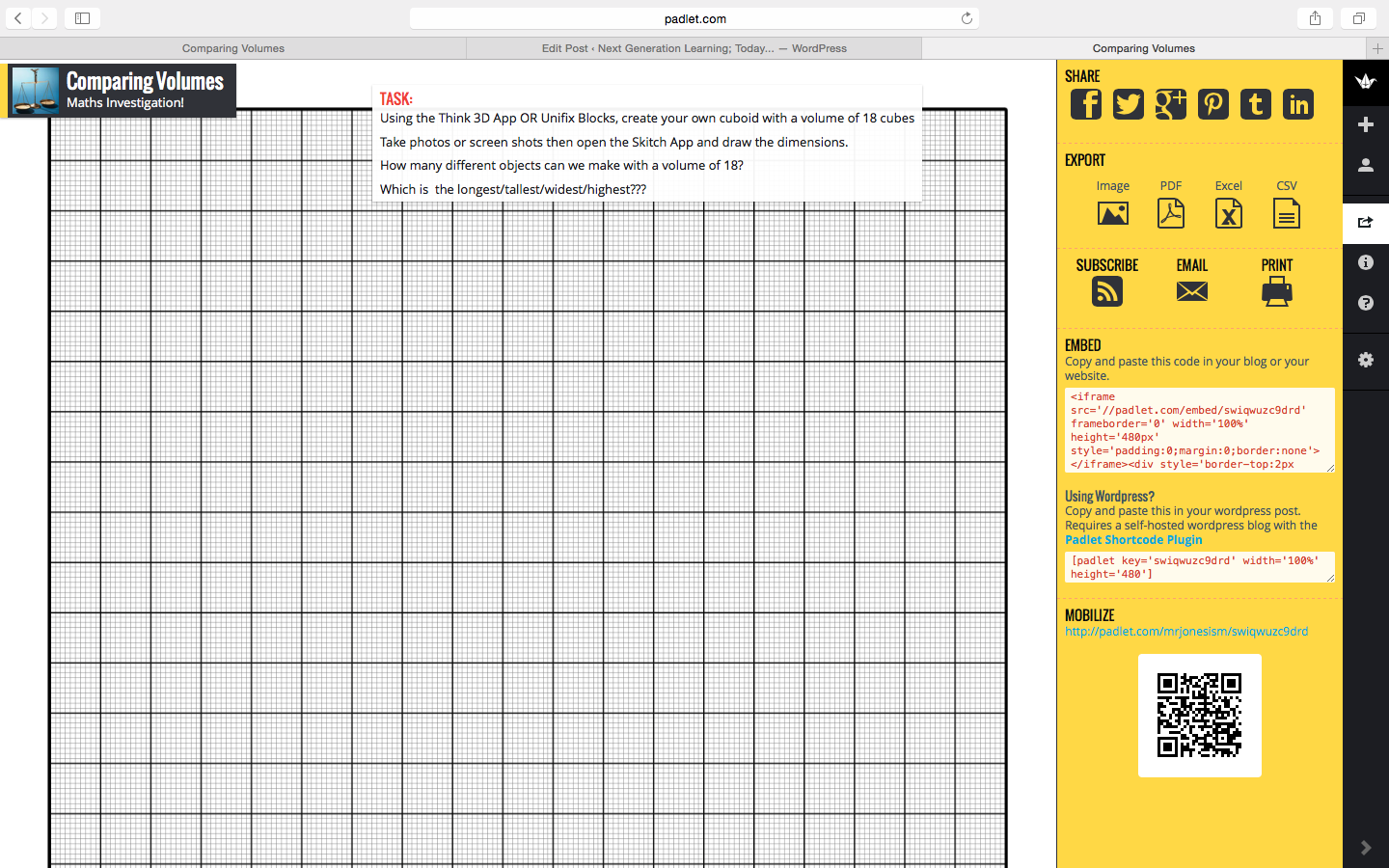
Pose your question at the top of your padlet and then invite children to join the padlet on their iPads via the self-generated QR code. They can scan straight from the IAW/screen or from a pre-printed copy or even via a link shared on your school learning network.
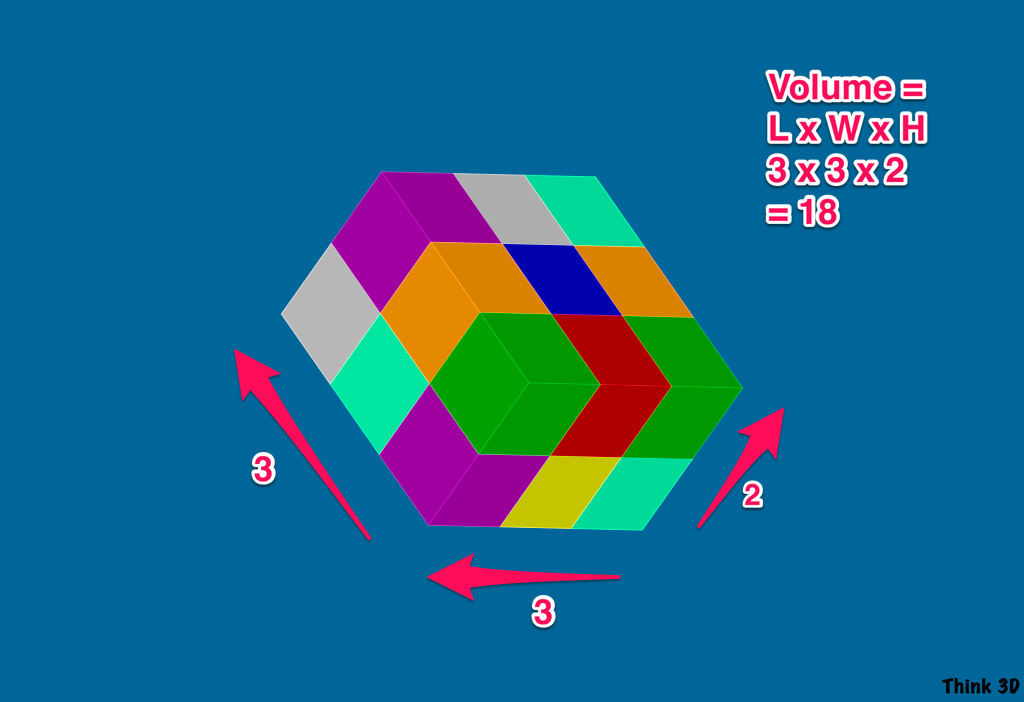
Think 3D
The question posed on the Padlet read:
“Using the Think 3D App OR Unifix Blocks, create your own cuboid with a volume of 18 cubes. Take photos or screen shots then open the Skitch App and draw the dimensions. How many different objects can we make with a volume of 18? Which is the longest/tallest/widest/highest?”
Students can answer the question by either using unifix cubes or the Think 3D App and then annotate over the image using Skitch:
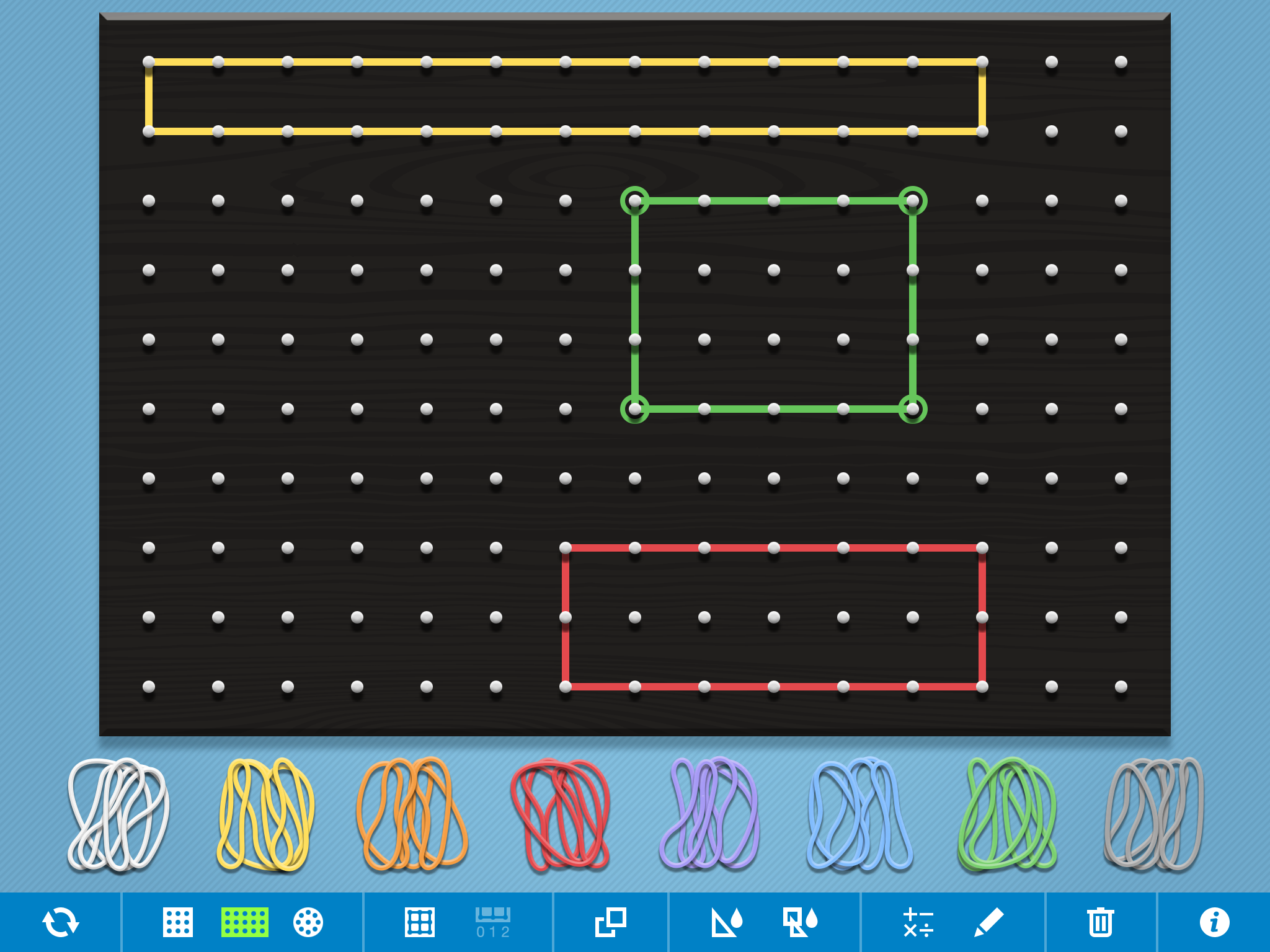
The example below uses the Geoboard App and the question posed on the Padlet was:
“How many different rectangles can you make with an area of 12cm²?”
Adding Work To Padlet
Once the students have drawn their rectangles, they can save to camera roll by taking a screen shot and the upload to Padlet using the upload button:
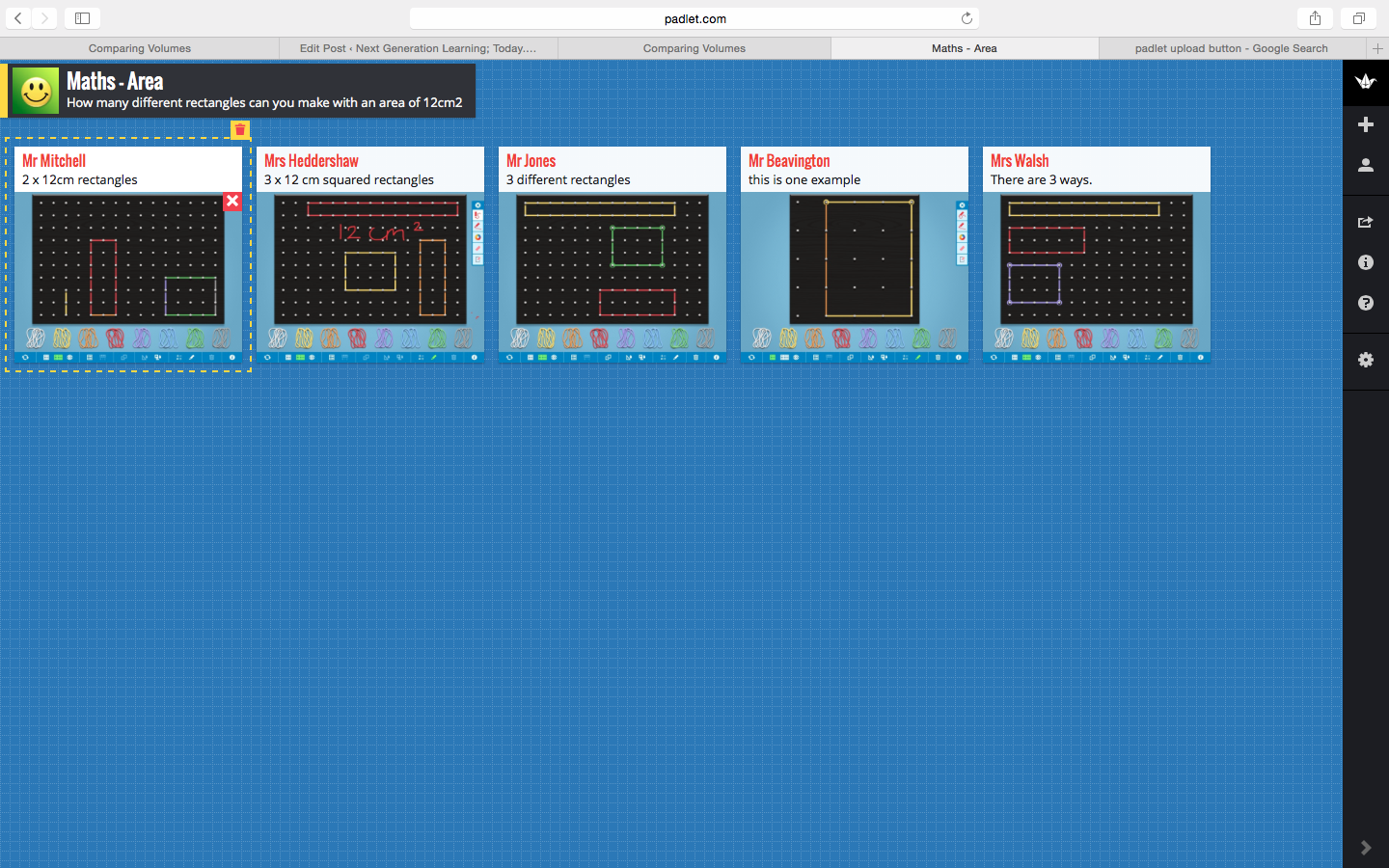
Another setting worth noting on Padlet is the ability to change the layout into a grid. This means that when students contribute their work, it automatically goes into a clear and easy to follow grid formation:
Once the work is on the board, students can be invited to present their work and question their peers understanding. Students work can be enlarger, simply by clicking on it.
Padlet really is a great classroom tool and its use should not be limited to maths. It can be used across the curriculum in a variety of different ways and I encourage you to give it a go!
Sometimes things just make sense. Take for example, the ‘Jigsaw of a Successful School’ graphic that was shared at a recent NPQSL seminar; it instantly resonated with me and invited reflection. The graphic below lays out the elements of a successful school into a 15 piece jigsaw. The pieces are not sequential or expected to be simultaneous. However, according to their author – Professor Tim Brighouse – they are all interrelated and ‘depend on one another to keep a school developing’.
The jigsaw analogy is fully explained in Professor Brighouse’s superb publication ‘Essential Pieces; The Jigsaw of a Successful School’ and certainly supplies a large portion of food for thought for teachers, leaders and indeed all members of a school community.
Over the Christmas break, King’s was involved in a flurry of activity. Despite the lack of students, the ancient corridors were witnessing a fundamental change in the learning environment. WiFi was being installed…
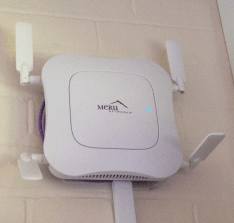
Across the school, peculiar little white boxes adjoined with four flappy panels appeared on many of our walls and ceilings. These devices, otherwise known as AP’s (Access Points), offered a seismic opportunity for change in our classrooms and opened up the endless potential of transformational digital technologies to our pupils.
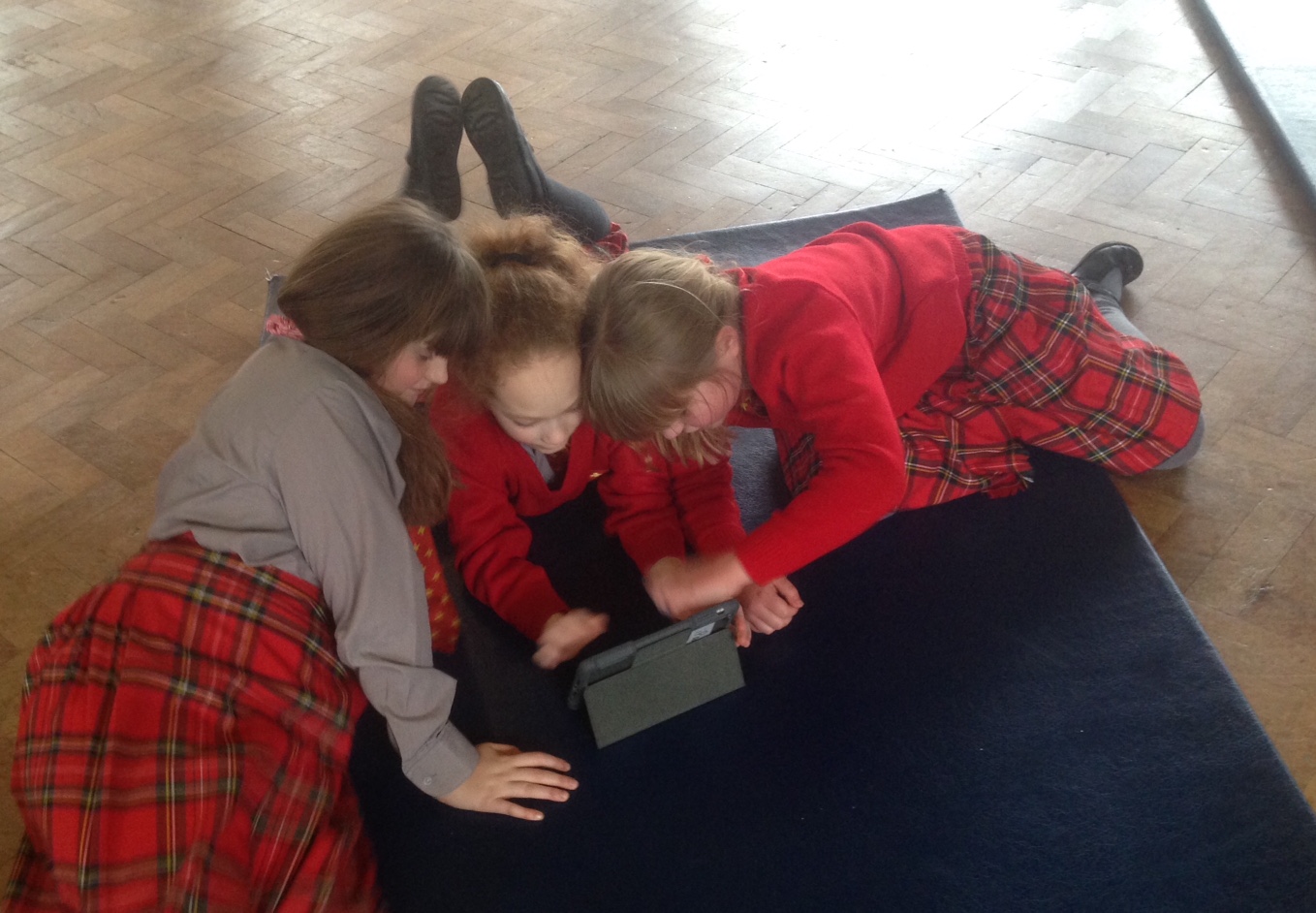
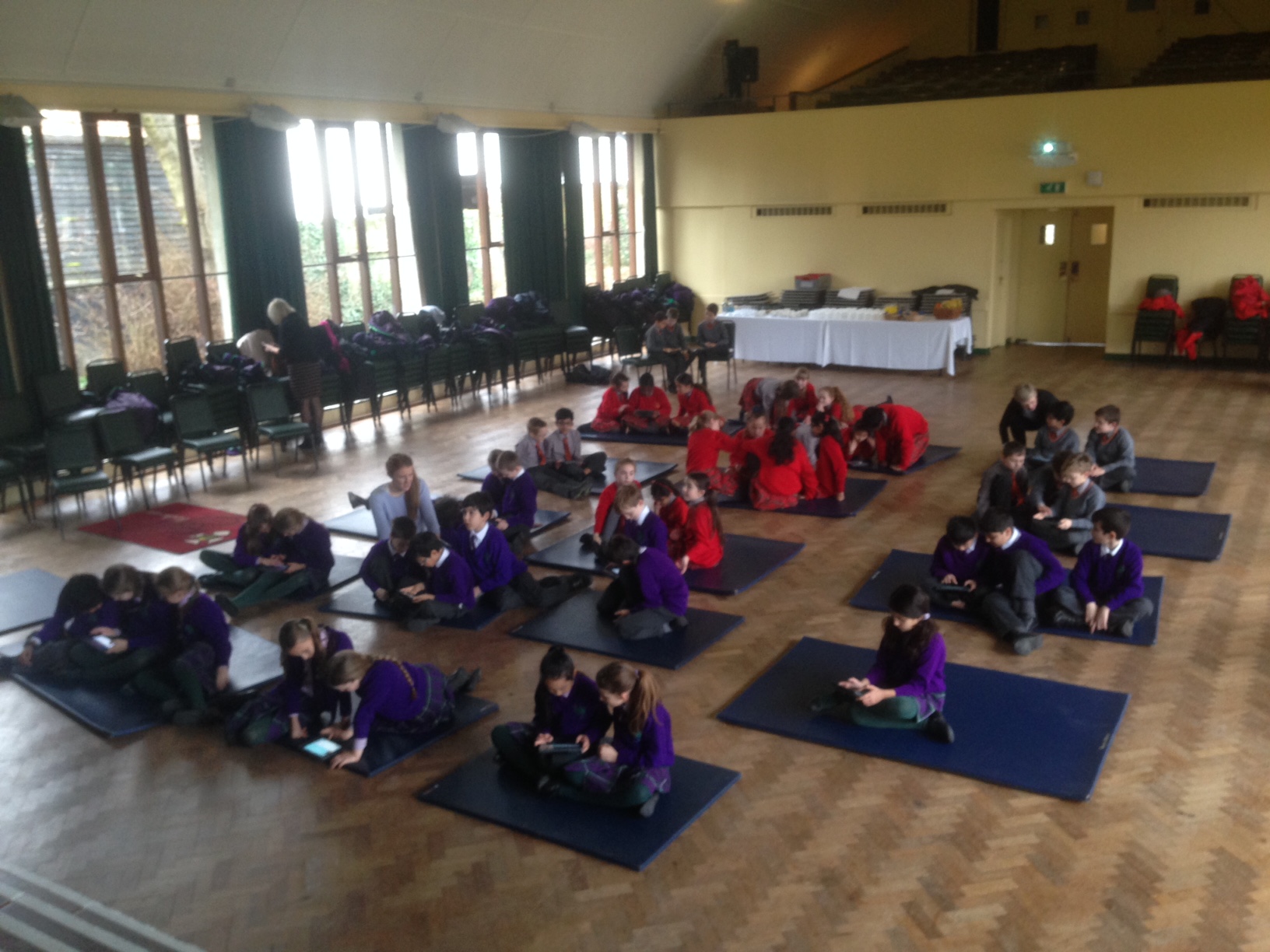
In the Prep School we took the decision to invest in a number of iPads. Although we are well aware that the devices are better used in a 1:2:1 environment, the acquisition of shared devices is a huge stepping stone in the right direction and an exciting statement of intent. Eight weeks into the project, the iPads have been in almost continual use. From subjects as diverse as Latin and Maths, they have been used in a whole host of imaginative and creative ways and are fast becoming a much-valued resource.
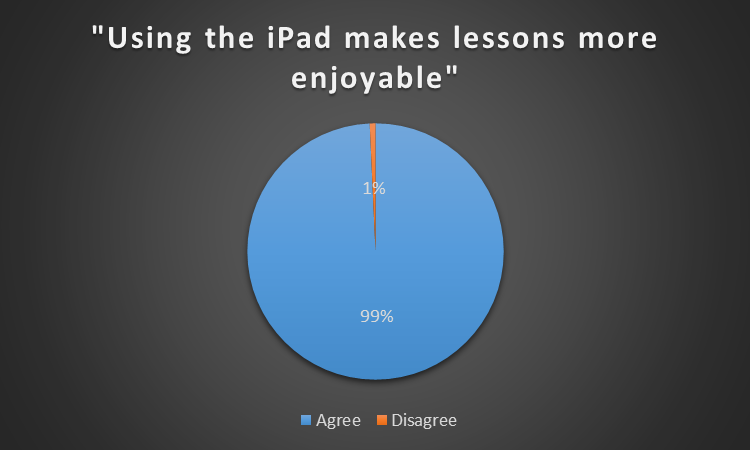
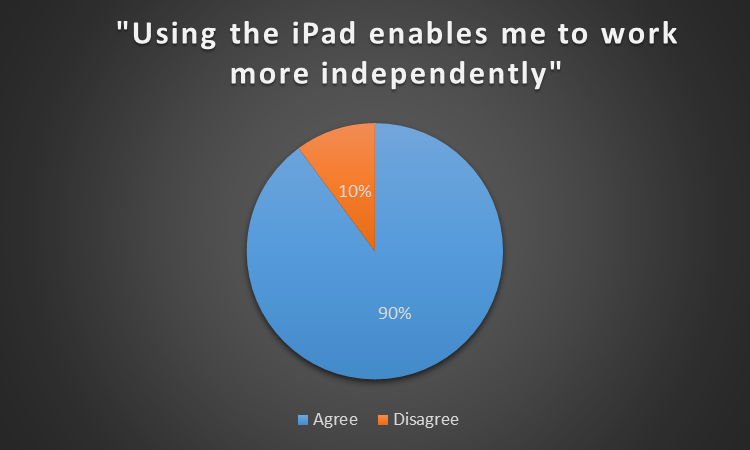
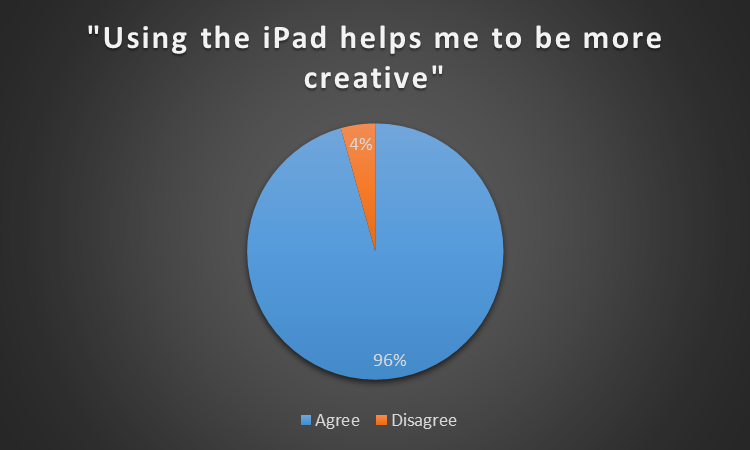
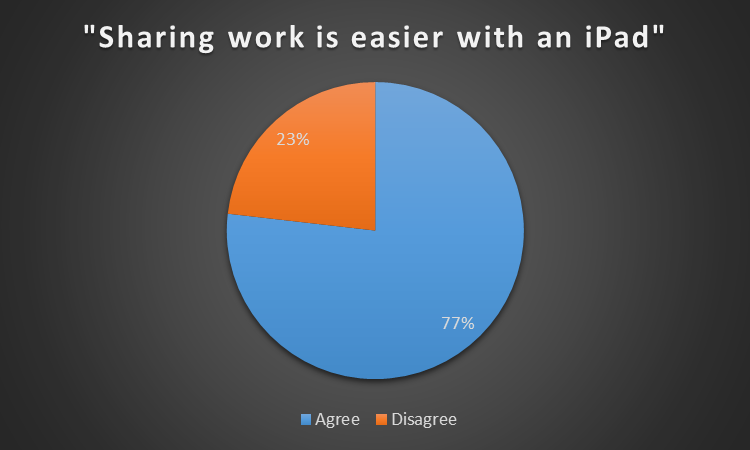
What though, and most importantly, has been the impact on learning? Last week I took the opportunity to gauge the opinion of those who matter most, our pupils. The results of the survey are published below and are a real cause for celebration:
In conclusion, the graphics above tell their own story. We are very much in the early stages of iPad adoption but already they have had an incredibly successful impact on learning and pupil engagement. Interestingly, the statistic concerning sharing work on the devices caused the most disagreement, and that in itself is telling. Having shared devices does not help to create a dynamic workflow and neither does a lack of connectivity to the classroom display board. We do have a few Apple TV’s up and running but are looking to roll out ‘Airserver’ in the very near future. When combined with Showbie and our school blog site I expect to see an increase in connectivity between teachers, pupils and the outside world. We know there is a huge amount of work ahead of us, but we can be confident we have made a very positive start and that plans are in place to ensure future success.
Scoring at The Valley has made the news more than once this past week. The ‘Sextra Time‘ CAFC sex tape scandal had put Charlton in the headlines but it was (yet another) Berg-Gudmundsson stunner, and two very well taken goals by Tony Watt, that sealed the deal on Saturday afternoon.
The goals were all superb, but it was the manner of the victory that was most impressive. The players were brimming with confidence and appeared full of energy. They hardly allowed Huddersfield the time on the ball to create a meaningful attack and ensured the 25,000 Charlton fans, many of which had taken advantage of the football for a fiver deal, went home happy.
New Charlton manager, Guy Luzon, must take credit for the turn around. He took over in very difficult circumstances and had the fans on his back following the dismal performance against Rotherham. I must admit, I was very sceptical of his appointment and his habit of crouching down in his technical area immediately irked me. However, he has clearly got the dressing room behind him and has overseen three superb 3-0 victories that have put a smile back on the faces of many disillusioned Addicks, including mine.
Yesterdays victory ensured that Charlton leap-frogged over Huddersfield into 12th place and took another step closer to safety. With only 12 games to go, The Championship table is really starting to take shape and looks set for a very exciting conclusion. The top 8 are are only separated by 8 points whilst the bottom three now find themselves 6 points adrift.
In-form Nottingham Forest visit The Valley on Tuesday and I hope that many of those who took the opportunity to watch the game on Saturday return to create another great atmosphere. No matter how many supporters turn out, Dougie Freedman is guaranteed not to receive the warm welcome offered to Chris Powell upon his return to The Valley. The ex-Palace legend was rumoured to be in the running for the vacant Charlton managers job following the dismissal of Bob Peeters, but he ended up at Forest whilst Luzon took the reigns at Charlton.
Charlton can expect a tough game, but if they put in the same sort of performance that we saw against Huddersfield then there is no reason why we can’t secure another victory. 3-0 anyone?
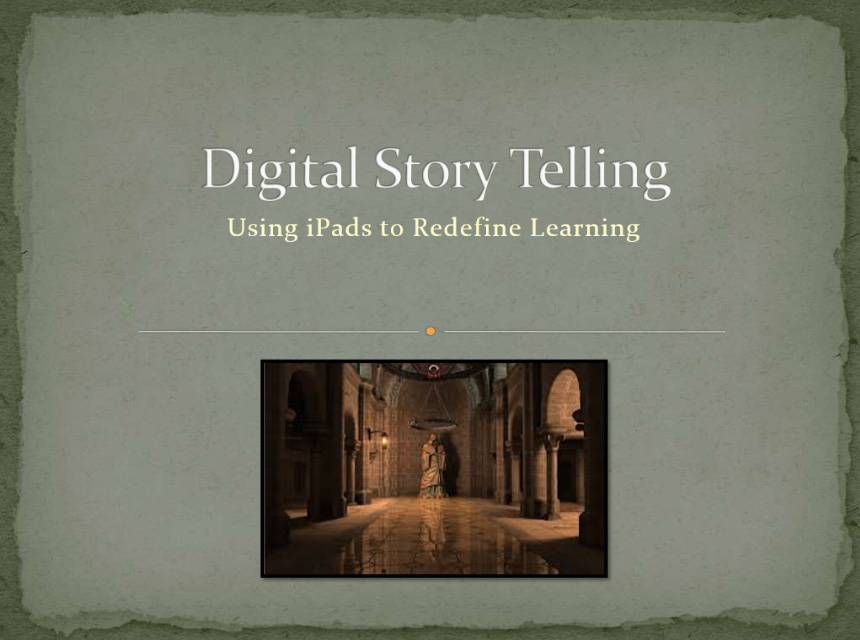
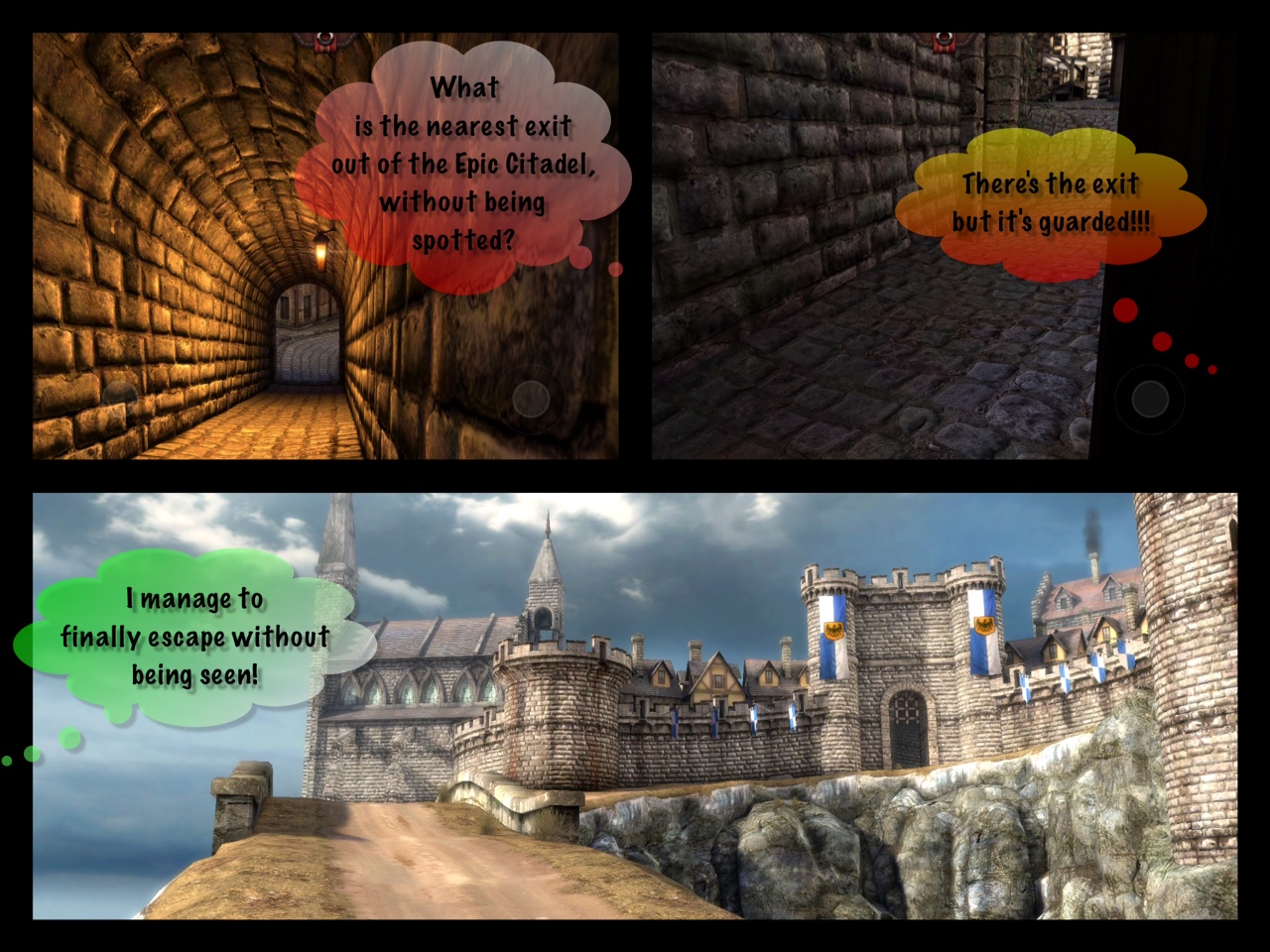
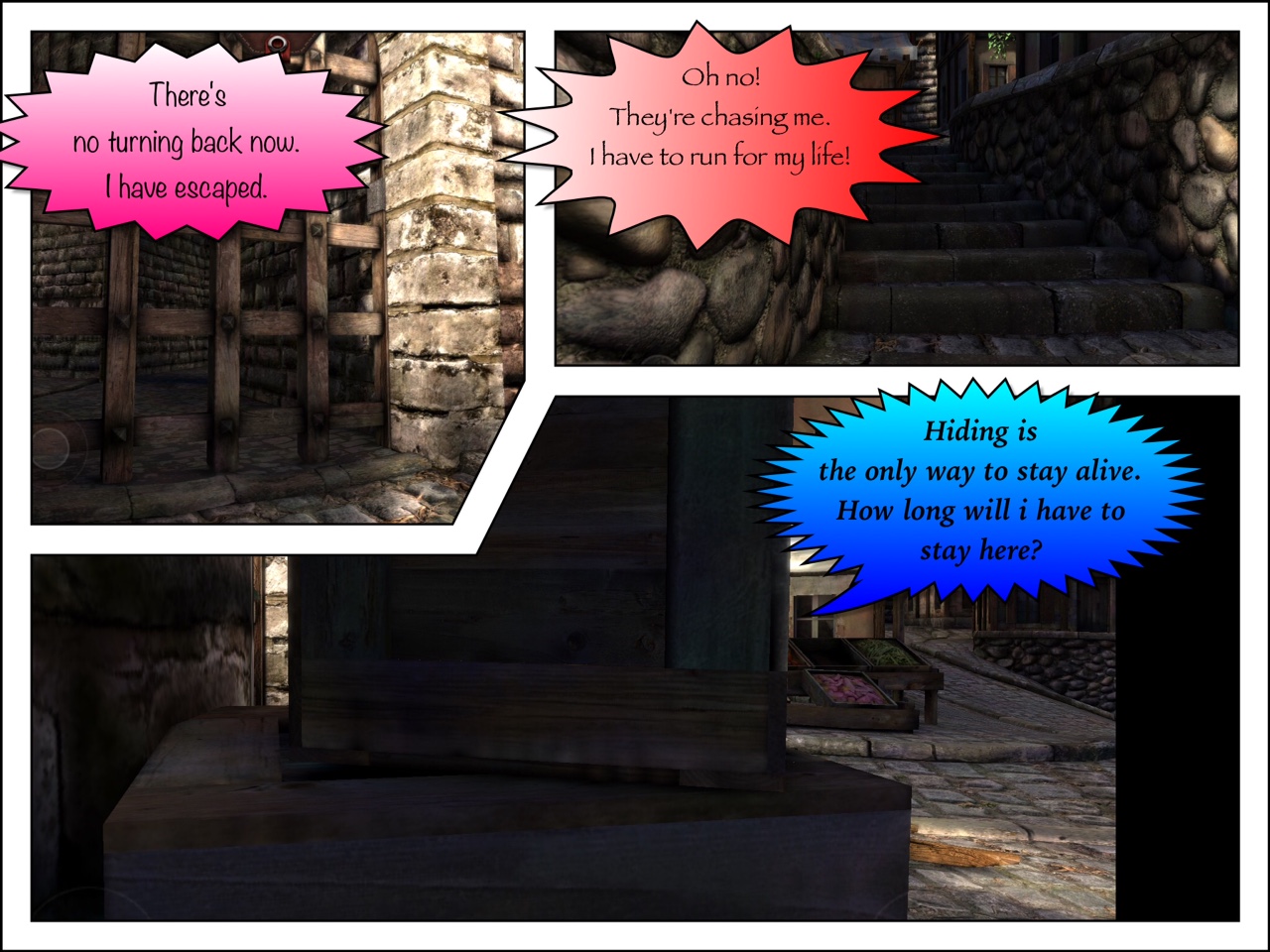
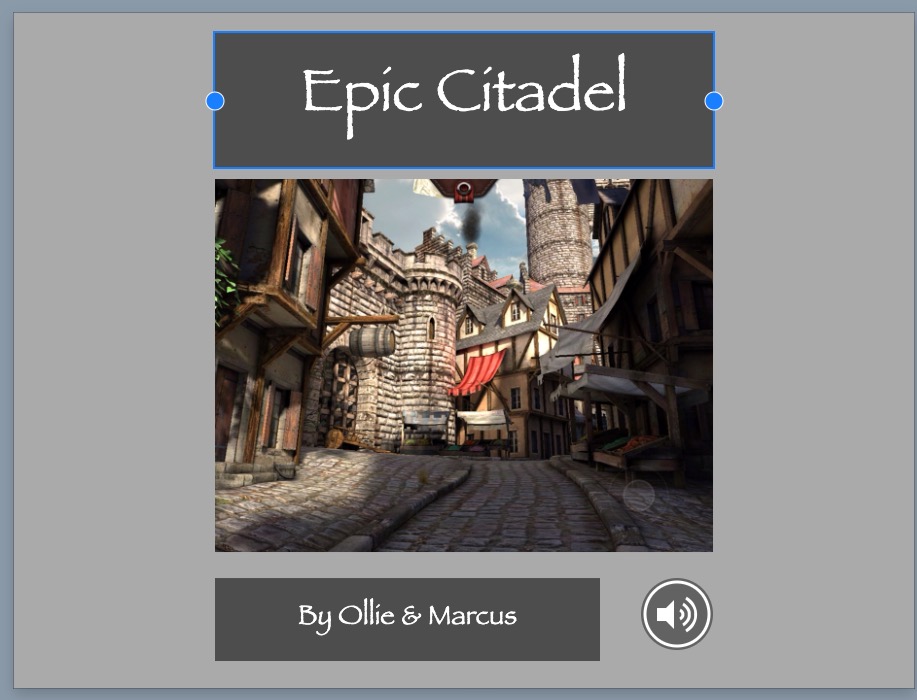
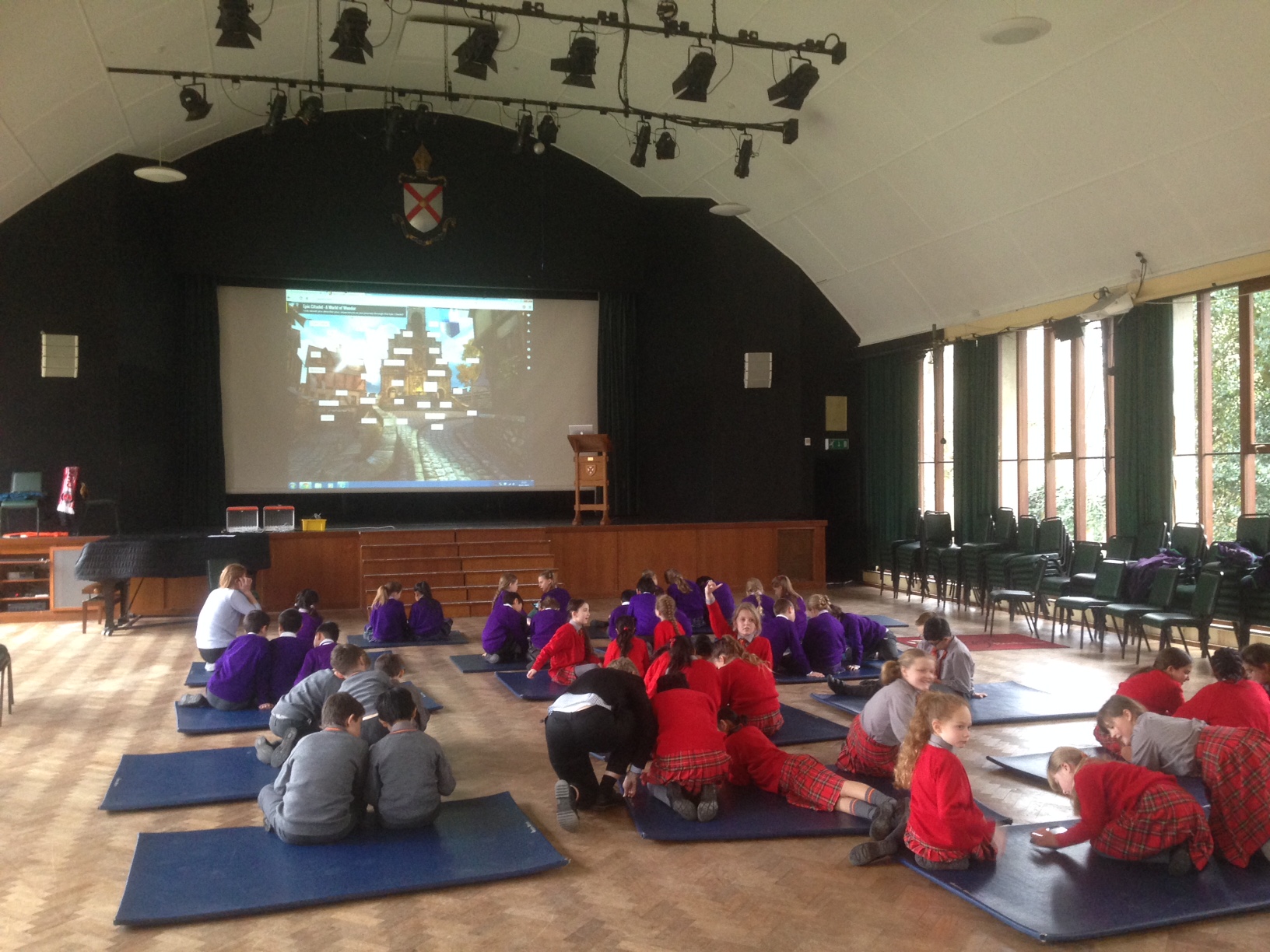
On Monday, we hosted 55 children from nearby schools at a ‘Digital Story Telling’ Day. We used the App, Epic Citadel, as the inspiration and were stunned by the quality of the writing. Using Epic Citadel was inspired by the work of Tim Rylands and ICT Mr P, although we did add a few twists of our own. Here is what we got up to:
TASK ONE – Explore The Citadel
Use your iPad to explore the Epic Citadel
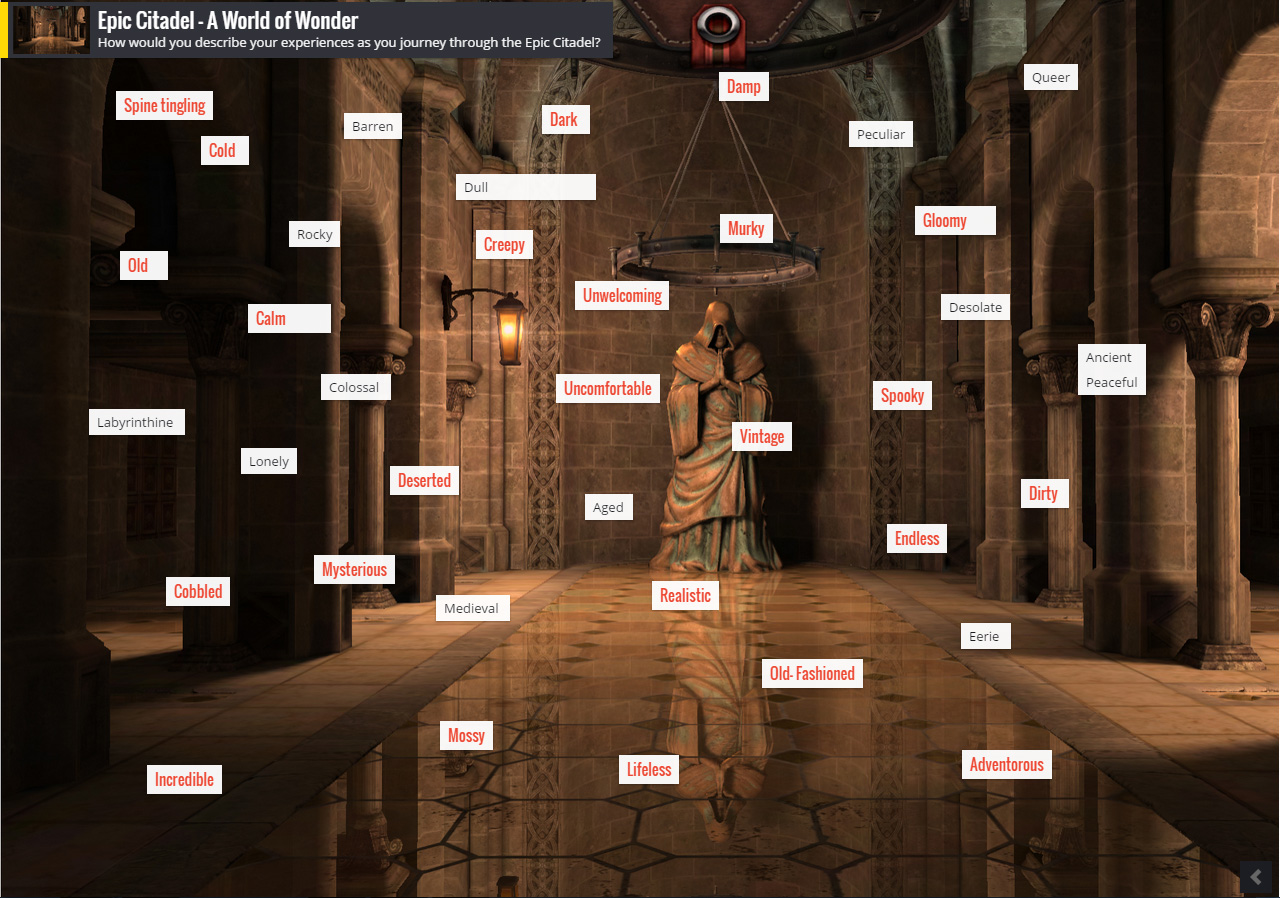
As you explore, use notes to write down words that describe the settlement and the feelings you experience as you wander the streets
We will meet every group and ask them for some of their words and use Padlet to create a visual display of them
We then used our teacher iPads and Padlet to collate the words from the children, and project them onto the big screen.
TASK TWO – Create a Digital Word Cloud
Use a selection of the words on display and the app, Tag Cloud, to create your very own digital Word Cloud that you can include in your digital book
When you have finished your tag cloud – make sure you save it to camera roll
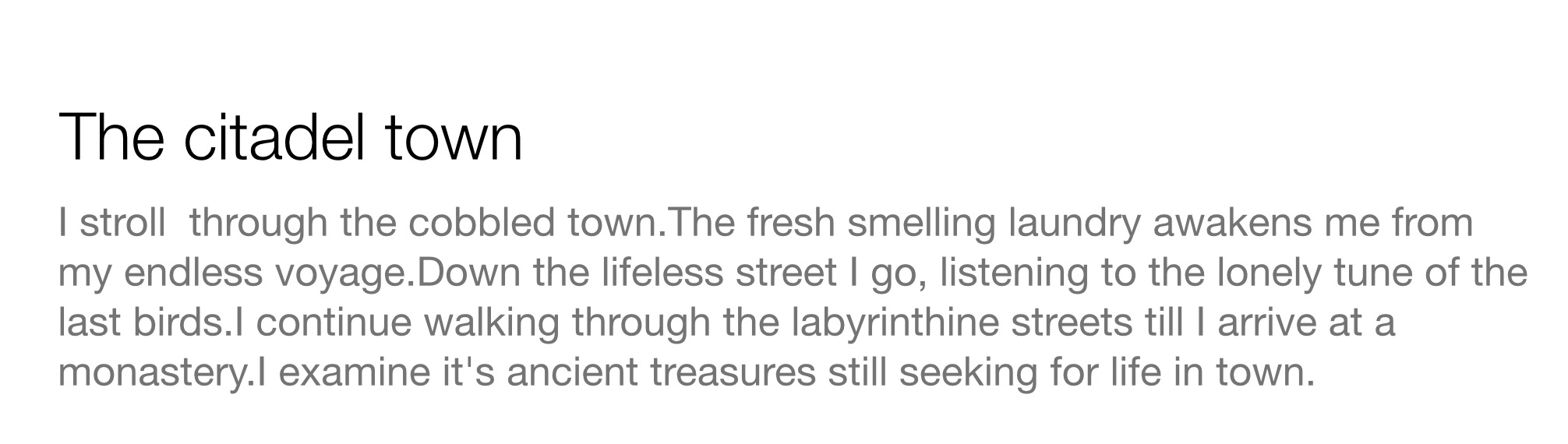
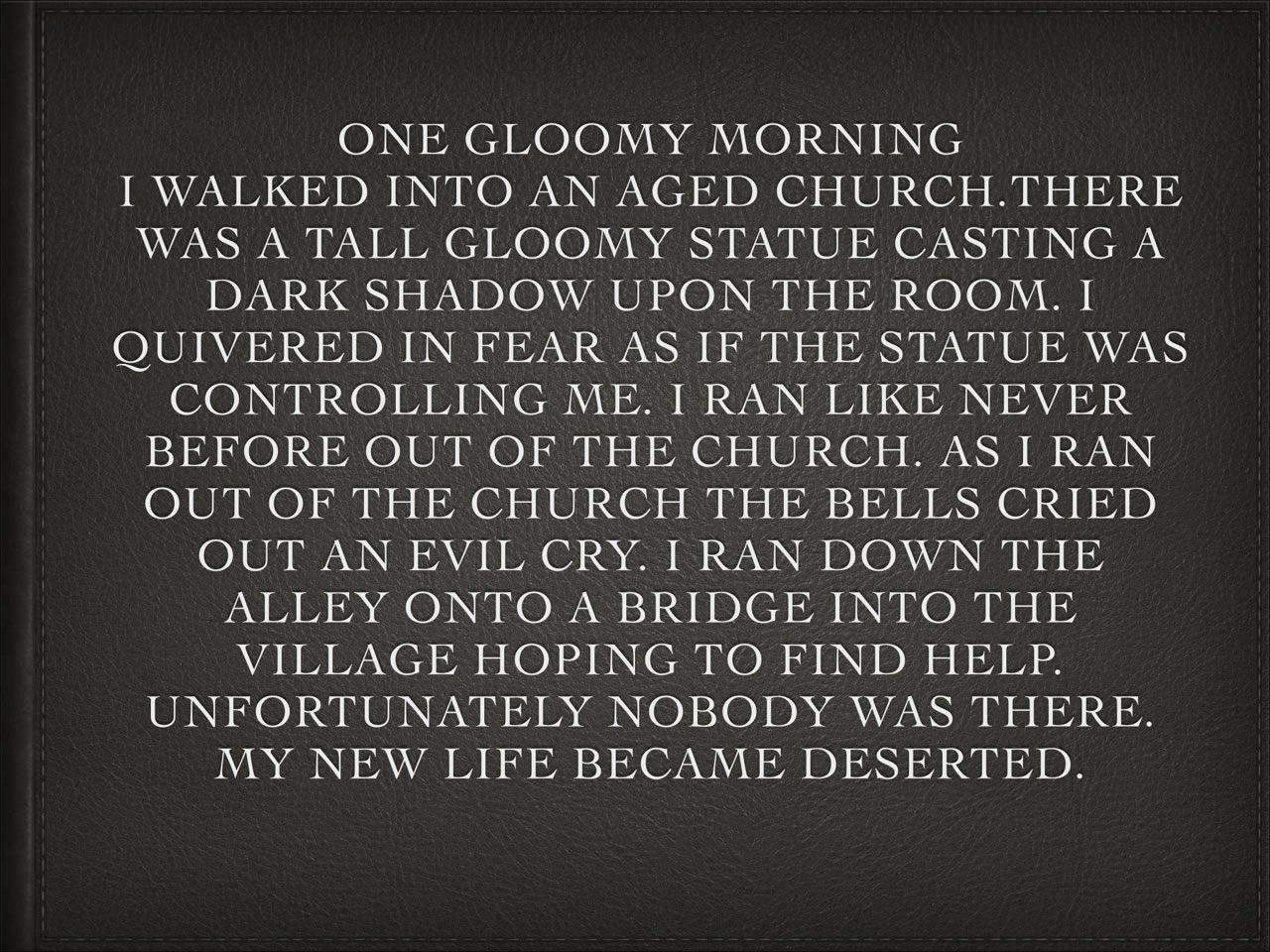
TASK THREE – Describe Epic Citadel in a descriptive paragraph
Use Keynote to write your descriptive passage on Epic Citadel, use the words in your Word Clouds to fuel some amazing writing.
Task Four – Epic Comic
Choose from one of these scenarios:
You have just escaped from the dungeon
You are the only survivor and are being chased by a killer dragon
You need to find the princess who is imprisoned in the tallest tower
Take some screenshots from Epic Citadel that fit in with your scenario, adding them to your camera roll
Choose a template
Import the pictures into Strip Design
Add the text that tells your story using text balloons
Edit your text boxes appropriately
Save to camera roll
Task Five – Epic Puppet Pals
Imagine that you, your partner are either a dragon, witch, knight, princess or fairy godmother are in the Epic Citadel! What would you talk about?
Use Pages to constuct a 30 second dialogue between the characters you choose.
Start the Puppet Pal App
Select your two characters
You can choose between three parts of The Citadel, a castle, the dragon’s cave or the enchanted forest. Just pick TWO of them.
Act out the dialogue
Save your final scene to camera roll
Task Six – Create Your Own Digital Book
Use Book Creator to put your work together
Add narration where appropriate
Reflections
It proved to be a great day and some of the writing was extraordinary! There are all sorts of extensions you could add to your book, such as a Morfo to bring alive a Medieval character or even use a green screen to put the children into the Epic Citadel itself!
It’s the 94th minute, the last minute of injury time after a tempestuous match at the Valley. Some shocking refereeing decisions and a sensational 35 yard strike from Johann Gudmundsson have all added to a supercharged Valley atmosphere. Charlton play the ball out. Some neat and quick passing in midfield takes place, and then, all of a sudden, the ball is expertly played through to Igor Vetokele, Charlton’s leading goalscorer – who finds himself through on goal with only their keeper to beat. The Valley crowd rise to their feet in expectation as Igor bears down on the goal. Of all our players it is Igor who was born to take this chance and write his name in Charlton folklore. He HAS to take his chance. He HAS to score. He MUST score. HE…..
Blasts it into Row Z.
To be honest, I would have taken a point at half-time after a dismal first half display in which Callum Harriot was sent off for an awful tackle. Why a large proportion of the Valley faithful decided to clap him off, I have no idea – it really was stupid.
The Gudmundsson goal was brilliant. He had had a very poor first 45 minutes but came out a different player in the second. He had seemed short of confidence and his touch kept letting him down. However, if ever you needed a confidence booster, scoring a goal like this does the business! Earlier in the second half he had hit the bar with a sublime free kick and had been a constant threat on the left wing.
In the end, despite some very poor refereeing, a point was probably a fair(ish) result. We certainly did not deserve to lose the game. However, the memory of today’s match that haunts me is that last minute chance and seeing Igor collapse to his knees after he completely fluffed his lines. Indeed, cemented in my mind ever since is that feeling of what might have been…

 Great teachers have existed since the dawn of humanity whilst arguably, decent technology in schools is still in it’s infancy. Part of being a great teacher is the ability to adapt your practice and embrace change when it enhances learning. There is NO doubt that technology has changed the potential in and outside the classroom (ask any ADE). However, without proactive and creative teachers forging new ways of using the technology, progress and change would be impossible.






 The jigsaw analogy is fully explained in Professor Brighouse’s superb publication
  corridors were witnessing a fundamental change in the learning environment. WiFi was being installed…